Bring your designs to life faster with SOLIDWORKS Composer
Use your existing CAD models to generate up-to-date documentation, animations and technical visuals - no waiting until production starts.
Your journey with SOLIDWORKS Composer starts here
We’re excited you’re interested in exploring what SOLIDWORKS Composer can do for your team. We can help you simplify technical documentation, speed up your go-to-market process and deliver a standout customer experience.
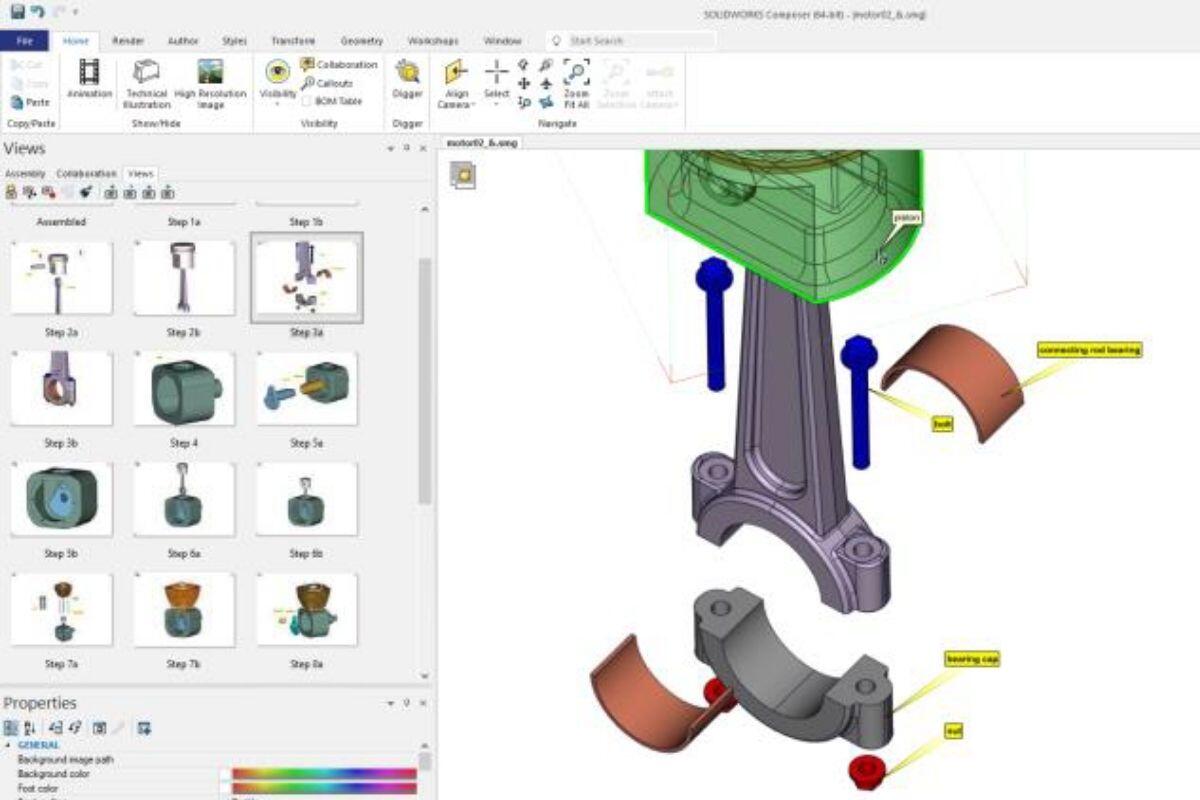
Example output from SOLIDWORKS Composer
Make your files interactive and market-ready
One of the things that attracted us to SolidWorks is the ability to customise the software with additional functions.
David Cauchi
Race Engineer Car 1, Triple Eight Race Engineering, the design team behind Holden Red Bull Racing Australia
Why SOLIDWORKS Composer?
SOLIDWORKS Composer is more than just a documentation tool - it’s a smart way to communicate complex product information clearly, quickly, and consistently.
Frequently Asked Questions
Does SOLIDWORKS Composer require SOLIDWORKS?
No. SOLIDWORKS Composer is a standalone application.
However, it requires access to 3D CAD models (e.g. SOLIDWORKS, STEP, or other formats) to create documentation.
How does SOLIDWORKS Composer improve manufacturing processes?
SOLIDWORKS Composer helps streamline manufacturing by:
- Providing clear assembly instructions
- Reducing production errors
- Improving shop floor communication
- Enabling faster training for operators
Can SOLIDWORKS Composer reduce documentation time?
Yes. By reusing existing CAD data, Composer eliminates the need to recreate visuals manually.
- Faster creation of manuals and instructions
- Automatic updates when designs change
- Reduced reliance on multiple software tools