SOLIDWORKS PDM
Easily store, access, and share data in one location, improving the way your teams manage and collaborate on data.
What's New in SOLIDWORKS PDM 2026
Increase efficiency with your SOLIDWORKS data workflows using SOLIDWORKS PDM 2026. With new features like the ability to synchronize local vault views, provide more sophisticated user access to folders, and exercise greater control over workflow statuses, you can enhance your entire team’s productivity like never before with SOLIDWORKS PDM 2026!
SOLIDWORKS PDM Standard
Perfect for smaller, single site companies, that need simple data management capabilities. Features include:
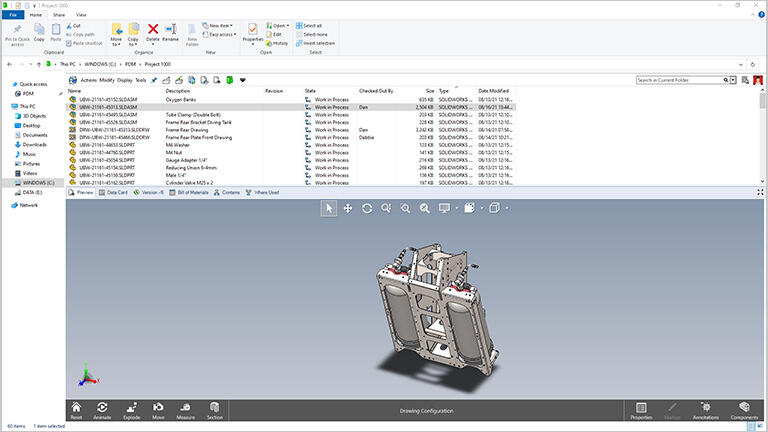
- Track changes- changes are automatically tracked and you can see them in the task pane and access previous revisions
- Notifications- keep relevant team members informed of status changes along with any actions that may be required
- Automated PDF creation- convert a SOLIDWORKS Drawing file to PDF during a workflow transition
Integrated file preview- dynamically preview CAD data using the integrated eDrawings preview capability
SOLIDWORKS PDM Professional
SOLIDWORKS PDM Professional is ideal for distributed teams, and includes all the same capabilities as PDM Standard plus these additional capabilities:
- Remote access (Web2 interface): Secure browser-based access for internal and external users
- Replication: Multi-site data replication for improved performance across locations
- Advanced workflow automation: Configurable approval processes and state transitions
- Email notifications: Automatic alerts based on file changes and workflow events
- BOM support: Manage and utilise Bill of Materials data for downstream processes
- Multi-CAD support: Integration with various third-party CAD systems
- Task automation: Automate file conversions and batch operations (PDF, DXF, STEP, IGES, STL, etc.)
- API and customisation: Enable integration with ERP/MRP and other systems
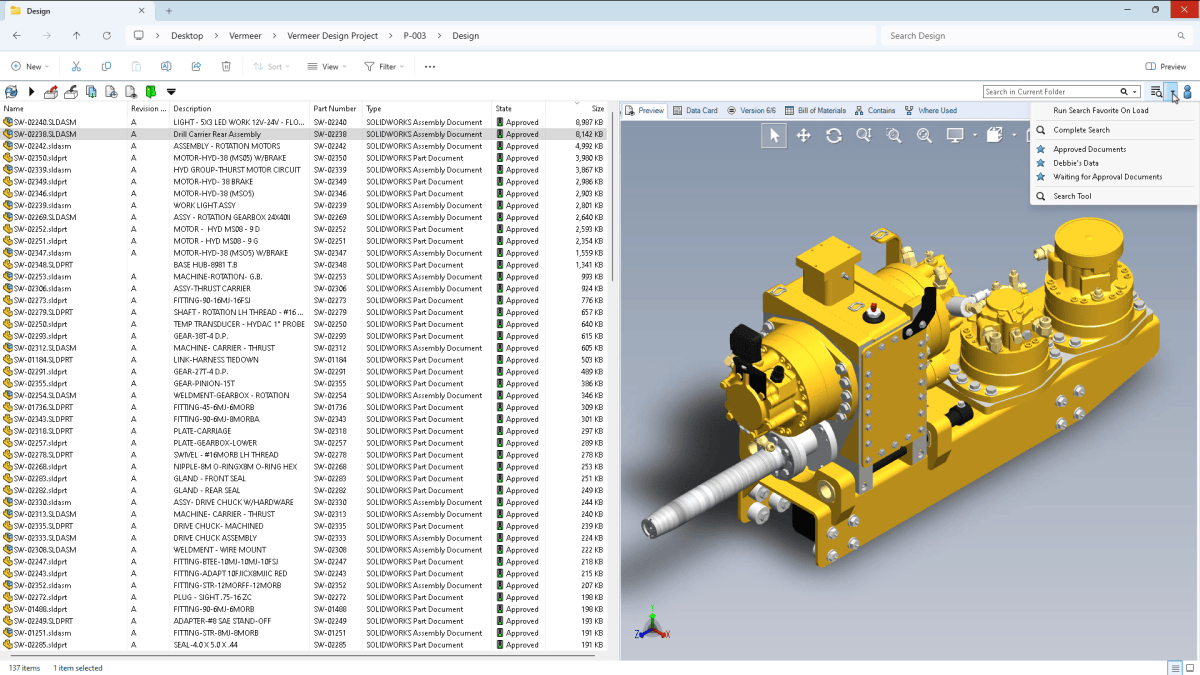
- Advanced search: Powerful search tools including metadata and full-text search
- Automatic serial number generation: Automatically create unique IDs for files, folders, or items based on configurable schemes
SOLIDWORKS Manage PLM Solution
SOLIDWORKS Manage is ideal for teams that need an advanced, records-based system. Enjoy all the capabilities highlighted above in addition to:
- Project Management – Manage project stages from start to finish with tasks, timelines, and resource tracking
- Process Management – Configure and automate business processes such as Engineering Change Requests (ECRs), transmittals, and approvals
- Item Management – Create, edit, and compare complete Bills of Materials (BOMs) using records and files
- Live Dashboards and Instant Reports – Create interactive dashboards and automatically distribute reports via email
- Resource Management – Allocate and manage users, roles, and workload across projects
- Requirements Management – Capture, track, and manage project requirements, ensuring alignment throughout the design and development process
- Scheduling & Calendars – Visualise project timelines, dependencies, and milestones
- Issue Management – Track issues, risks, and action items linked to projects and processes
- Data Linking & Traceability – Connect projects, items, files, and processes for full visibility
- Audit Trail – Maintain a complete history of changes and activities across all records
Using SOLIDWORKS PDM Professional has enabled us to evolve from a series of separate departments to one united team with one goal: the highest quality product produced in the most cost-effective manner.
Eiman Nosrati
Engineering Manager, Tieman Tankers
"SOLIDWORKS PDM offers more customisation freedom than most other packages I have used. Workflows and transitions are easier to customise to suit our business."
Alex de Andrede
Equipment & Technology Manager, Mineral Technologies
Take a deeper dive
Learn more about SOLIDWORKS PDM solutions
SOLIDWORKS PDM - What's New
The latest SOLIDWORKS PDM updates focus on making day-to-day data handling faster, clearer, and easier to govern—starting with an improved Bill of Materials view that mirrors the SOLIDWORKS Feature Manager order so assembly structure is more intuitive, plus the ability to check out files directly from the Get Latest dialog. You also get more flexible caching controls for revisions (including grabbing the latest or a specified revision), quicker access to core PDM commands via a new SOLIDWORKS PDM tab in the SOLIDWORKS Command Manager, stronger auditability through user login/logout tracking, and faster Web 2.0 browsing and file preview performance in large folders.
SOLIDWORKS PDM Datasheet
SOLIDWORKS PDM is a practical, designer-friendly way to keep product data controlled and easy to find—without the usual headaches of version confusion or lost files. It centralises CAD models and all supporting documents (from Office files to emails and images) in a secure, indexed vault, automatically tracking versions and driving workflow-based approvals so the right people have access at the right time. By integrating directly into Windows Explorer and using a local cache for fast access, it reduces time wasted searching or recreating files, prevents rework from using outdated drawings, and supports smoother collaboration across teams and locations with notifications and real-time visibility.
SOLIDWORKS PDM Whitepaper
SOLIDWORKS Distributed Data Management Solutions help you extend the value of your PDM data beyond product development by connecting related records, files, and deliverables so projects can be managed using actual, live data—not disconnected copies. They support a consistent, enterprise-wide approach to process management, while expanding what you can manage from the PDM database to include associated items like BOMs and other records. With interactive dashboards and customizable reporting, you also get clearer visibility into status, progress, and performance across teams and sites.
SOLIDWORKS PDM
SOLIDWORKS PDM (Product Data Management) solutions provide an easy way for designers to collaborate on product designs without worrying about version control or data loss.
SOLIDWORKS PDM is a mainstream data management system that stores and organises engineering CAD data and other documents in a central vault that has a relational database to manage all the information about the files and references, users and group permissions, electronic workflow processes and more.
Saves time searching with a secure centralised location for all design documents and utilisation of configurable search cards which make it easy to enter search criteria and control access to data, so the right users have access at the right time based on where a file is in the approval process.
File Management
Create and maintain all data in a single vault that can be accessed to store and retrieve files. SOLIDWORKS PDM manages all file changes and automatically updates them when a file is moved or renamed.
Design and Reuse
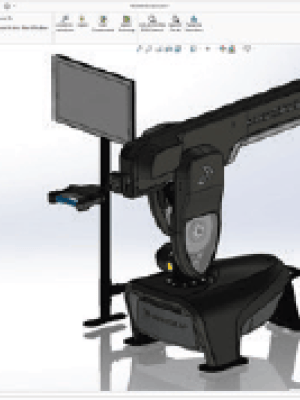
With powerful search tools built right into Windows Explorer, finding data is a snap. Quickly locate and reuse existing design data to save time and control costs. Locate files by name, date, and metadata.
Revision Control
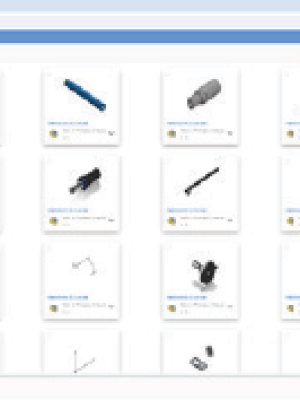
To avoid conflicts, files can be checked out and locked when a design change needs to be made. As designs are updated by others, live notifications keep you informed of changes as they happen.
Reduce time spent searching for data and collaborate on product designs
SOLIDWORKS PDM Professional, an all-inclusive application so there are no extra modules or database applications to purchase.
Frequently Asked Questions
Is support included with SOLIDWORKS PDM?
Yes. When you purchase SOLIDWORKS PDM, support is included. You’ll have access to expert assistance to help with installation, configuration, and ongoing use of your PDM system.
Can SOLIDWORKS PDM improve collaboration?
With PDM, you can:
- Share controlled access to design files
- Track file changes and revision history
- Prevent duplicate or conflicting versions
- Improve communication between engineering and manufacturing teams
Can SOLIDWORKS PDM support multi-site and global teams?
Yes. SOLIDWORKS PDM is designed to support multi-site and distributed teams, enabling users across different locations to securely access and manage product data from a centralised vault.
- Real-time collaboration across offices and time zones
- Consistent file versions across all locations
- Controlled access to sensitive design data
- Improved coordination between engineering and manufacturing teams
Is SOLIDWORKS PDM cloud-based?
SOLIDWORKS PDM is primarily an on-premise data management solution, giving your business full control over your data.
However, it can also be deployed in a private cloud environment—such as Microsoft Azure or AWS—allowing secure remote access while maintaining control over infrastructure and data.
In addition, SOLIDWORKS PDM can be integrated with cloud-connected solutions like the 3DEXPERIENCE platform to enable enhanced collaboration and accessibility.