SWOOD
Design, machine and document woodworking projects in one SOLIDWORKS workflow
From SOLIDWORKS model to CNC-ready output with SWOOD
SWOOD gives cabinetry, joinery, shopfitting and millwork teams a woodworking-specific CAD/CAM environment inside SOLIDWORKS. Design changes stay linked to machining, nesting and reports, helping you reduce manual rework and move faster from concept to machine-ready output.
- Woodworking-specific design tools inside SOLIDWORKS
- CAM and nesting linked to the design model
- Reliable workshop documents and production data
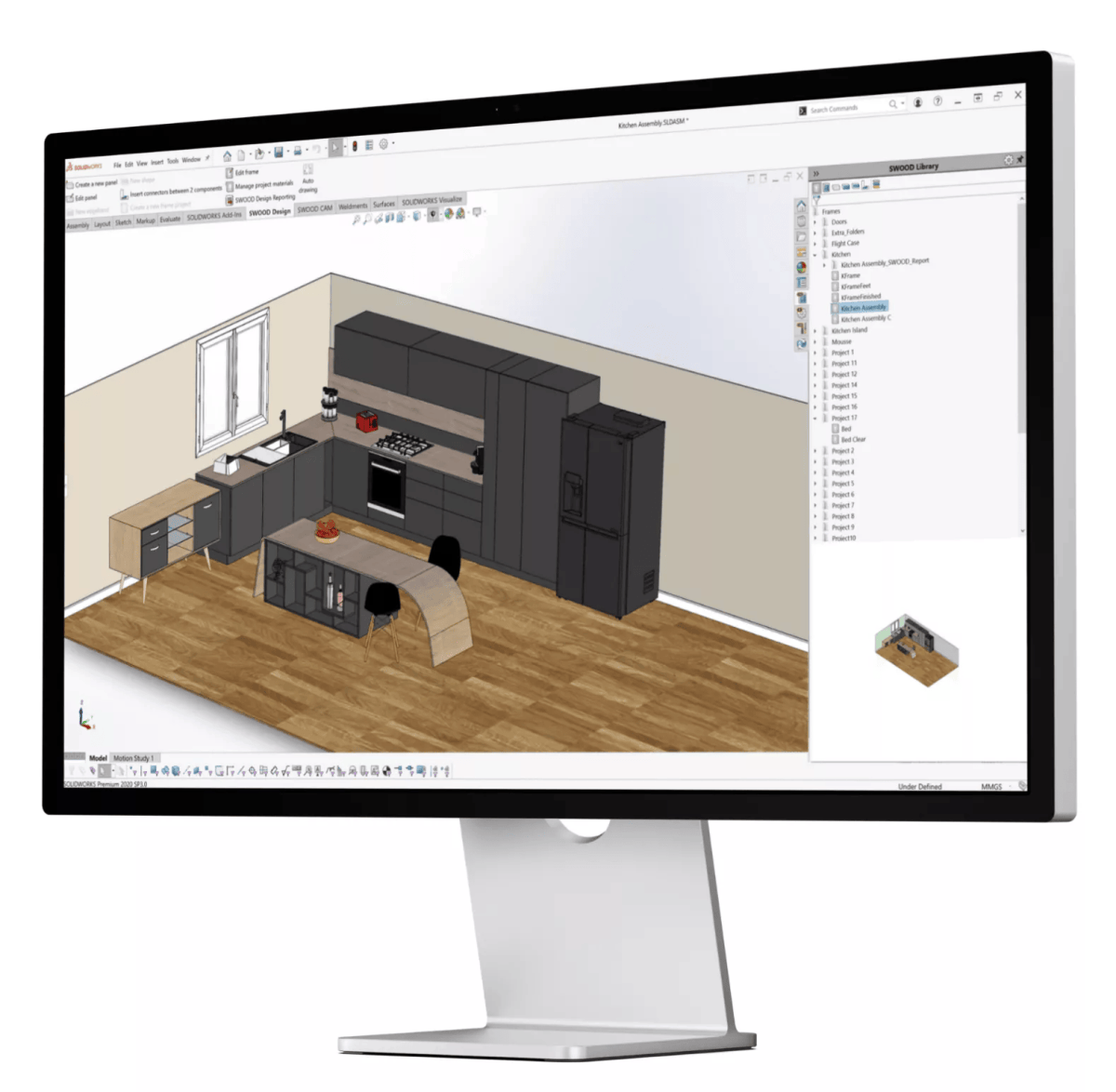
Most production delays start long before the machine
When design, CAM, nesting and workshop paperwork live across different tools, teams spend time rekeying data, checking versions, and fixing avoidable errors. That slows programming, adds waste, and makes every design change more expensive than it should be.
- Design changes do not always flow cleanly to manufacturing
- Manual translation creates errors and version drift
- Reports, cut lists, and CNC outputs can fall out of sync
- Multiple software tools increase training overhead and admin effort
SWOOD connects the full woodworking workflow inside SOLIDWORKS
SWOOD is built for woodworking professionals who need design freedom, manufacturing control, and reliable downstream information from the same project model.
Design
Model cabinetry, joinery and interior projects with wood-specific tools for materials, edge banding, connectors, panel control, and reusable libraries.
CAM
Generate machine-ready toolpaths and production documents from the same model using wood-specific machining strategies.
Nesting
Optimise sheet usage, manage two-sided machining, and keep nesting linked to the live design data.
Report/Automate
Export BOMs, panel lists, stock data, drawings, and CNC outputs, then extend to database-driven automation with SWOOD Center where needed.
How it works
Build in 3D
Design complex wood projects in a parametric SOLIDWORKS environment with libraries, connectors, materials, grain direction, edge banding, and reusable company rules.
Generate machining
Apply machining strategies and create production programs directly from the model, with associativity between geometry and machining.
Optimise and document
Run nesting where needed, then generate the lists, drawings, hardware information, and machine outputs your teams need.
Scale and automate
For repeatable or data-driven workflows, use SWOOD Center to connect order data, automate project generation, and keep production information consistent.
Built for real woodworking workflows
- Custom cabinetry and joinery
- Shopfitting and interior fitout
- Curved and complex millwork
- CNC programming and nesting
- Workshop documentation and reporting
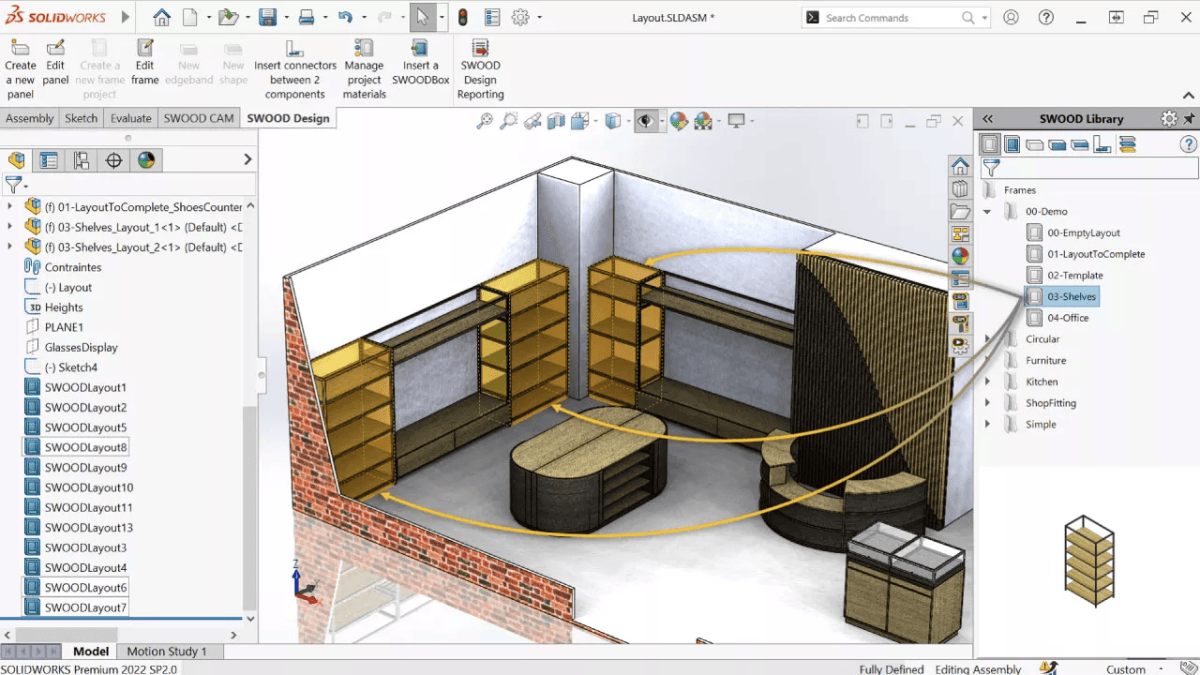
Design
Software to effectively design customer furniture
With our CAD software, use wood-specific features in an ergonomic and parametric environment to design your most complex 3D projects. Streamline your design processes and save your company know-how by storing your rules and models in libraries.
Manufacture
CAM software to translate project parameters to woodworking machines
Based on wood-specific machining strategies as well as offering point-to-point and nesting capabilities, our solution generates programs and workshop documents from design projects to optimise production.
Automate
Reliability of production data
Export, in one click, a complete report to streamline the process by establishing a direct link between SWOOD, the workshop, the company's information system, and other departments.
Streamline your woodworking process
SWOOD is a comprehensive Computer-aided design (CAD) and Computer-aided manufacturing (CAM) solution, developed to meet the specific challenges of the woodworking industry.
Integrated within SOLIDWORKS, the solution’s specific features focus on three steps of the woodworking process: design, manufacture, and automate. Our solution guarantees a seamless flow of information at every process stage.
- Material management:
Part Thickness, Decor or grain direction, Edgebanding - Connectors:
Mortise & tenon, Cam & Bolts, Dowels, Lamellos - SWOODBox:
Drawers, Doors, Shelves, Partitions - Layout:
Insert your cabinet and link its dimensions to a layout sketch - Profiling:
Shapes library, Shapes replacements, Apply on multiple edge - Reporting:
Export to cutting Optimisation Program, Cut list, Hardware list
Did you know?
SWOOD CAM manages CNC machines with all wood-working specific technologies
Create your programs and manufacturing documents directly in SOLIDWORKS with full associativity.
Frequently Asked Questions
Is SWOOD suitable for small and large woodworking businesses?
Yes. SWOOD is highly scalable and suitable for:
- Small cabinet makers
- Custom furniture designers
- Large manufacturing operations
It adapts to your workflow, whether you’re producing one-off designs or large production runs.
How does SWOOD integrate with SOLIDWORKS?
SWOOD is fully embedded within SOLIDWORKS, allowing you to design and manufacture within a single environment.
- Seamless transition from design to production
- Parametric modelling for custom furniture
- Centralised data and design control