114 macros and counting! 114 macros and counting!
Your SOLIDWORKS file admin done in minutes, not hours
Your #Task personal assistant is SOLIDWORKS automation software that automates tasks, batch processes your files, and saves you hours on file admin.
Scott's team saved 500+ hours on one project!
"#Task is integral to our modelling, drafting and design process."
“We would have to have more drafters to do the same job if we weren’t using it. You couldn’t be as competitive, and you couldn’t punch out drawings as quickly.”
Scott Cox, Director of Ignite Engineering
Why #Task?
Built for engineers who want to do more in less time, without risking design quality while saving hours on file admin.
Without #Task:
- Manual file edits
- Risky macros from online forums
- Missing file references
- Unanchored components in assemblies
- Time-consuming PDF exports
- License chaos
With #Task:
- 114+ automated macros save hours
- Trusted, supported plugins
- Find & report with a click
- Auto-fix floating parts
- Batch PDF with naming & zoom controls
- Manage all your licences in one portal
- Let it batch process while you keep working, or let it process overnight
Still using an older version?
The industry’s most powerful batch automation tool just got even better.
Looking for a great deal? Contact us today and our friendly specialists will get back to you.
Here’s what you’re missing:
- Improved performance
- Admin-friendly licence controls
- 7 Powerful new macros
- Compatible with all versions of SOLIDWORKS
Save hours. Reduce errors. Stay in flow.
What’s new in #Task v2.6?
Compatible with all versions of SOLIDWORKS
Get full support for the latest parts, drawings and assemblies — futureproof your workflows.
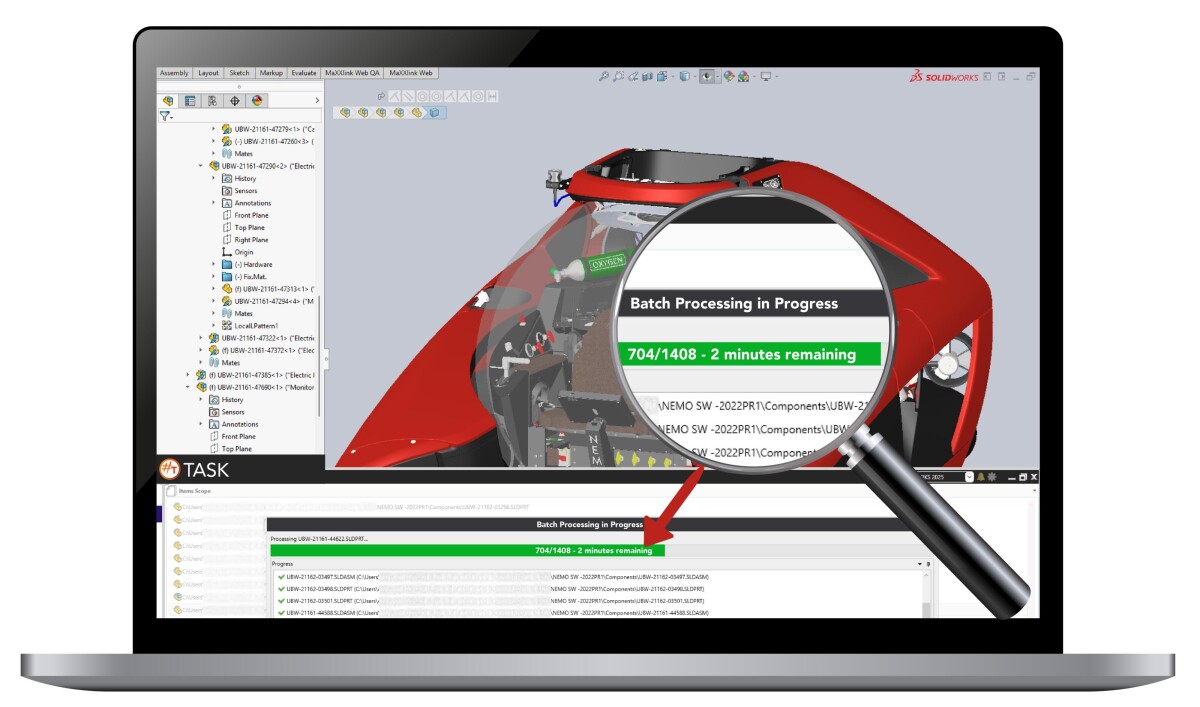

Secure environment & intuitive interface
Manage users and permissions via a secure web-based licence portal — no more spreadsheets or manual key handling. Ideal for multi-seat, multi-site deployments.
7 new built-in macros for SOLIDWORKS
Eliminate repetitive tasks and manual edits with automation macros built for real-world engineering workflows:
- PDM Document Package Creator
- PDM Serial Number Reserver
- Export Child PDF and DXF References by FileName.
- Replace Variable with Equation.
- Static BOM Generator for assemblies.
- Batch Extrude DXF to 3D parts.
- Merge Drawings and Export to DXF.
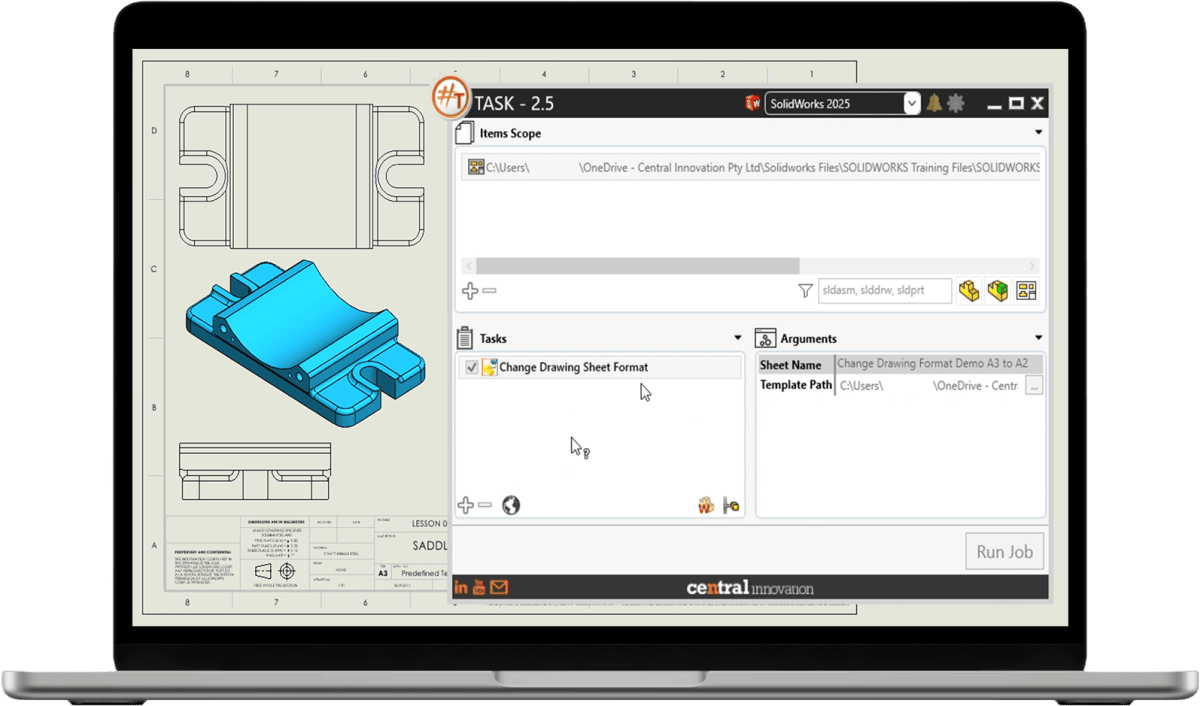
Built for engineering scale
Whether you're a solo designer or managing a small team of users, #Task is purpose-built to support batch processing and bulk update SOLIDWORKS files at any scale.
#Task EULA
For more information on using #Task, please read our End User Licensing Agreement here - #Task EULA