Your SOLIDWORKS file admin done in minutes, not hours
#Task batch-processes your parts, drawings and assemblies. Export PDFs and DWGs, fix missing references and floating components, and update properties across hundreds of files in a single run, on your own workstation.
- Works with every version of SOLIDWORKS, including PDM
- Runs locally on Windows. No cloud, your files never leave your machine
- Seven new built-in macros in v2.6, plus plugins for your own macros
Scott's team saved 500+ hours on one project!
"#Task is integral to our modelling, drafting and design process."
“We would have to have more drafters to do the same job if we weren’t using it. You couldn’t be as competitive, and you couldn’t punch out drawings as quickly.”
Scott Cox, Director of Ignite Engineering
Why #Task?
Your best engineer should not be acting as a batch processor. #Task takes the repetitive file admin off the desk and runs it as one job.
Without #Task:
- Open. Update. Save. Export. Repeat.
- Risky macros from online forums
- Missing file references
- Unanchored components in assemblies
- Time-consuming PDF exports
- Licence chaos
With #Task:
- Automated macros save hours
- Trusted, supported plugins
- Find and report with a click
- Auto-fix floating parts
- Batch PDF with naming and zoom controls
- Web portal with admin control
What's new in #Task v2.6?
Compatible with all versions of SOLIDWORKS
Get full support for the latest parts, drawings and assemblies, and futureproof your workflows. Works alongside SOLIDWORKS PDM.
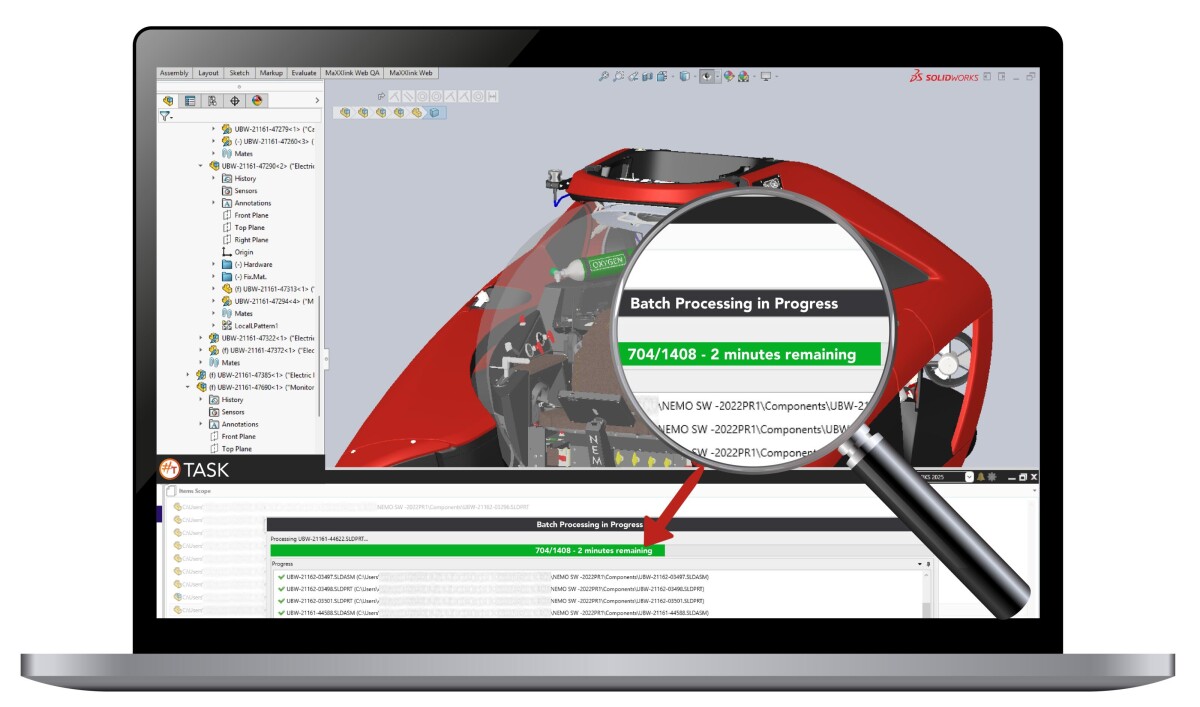

Secure environment and intuitive interface
Manage users and permissions via a secure web-based licence portal. No more spreadsheets or manual key handling. Ideal for multi-seat, multi-site deployments.
114+ built-in macros for SOLIDWORKS
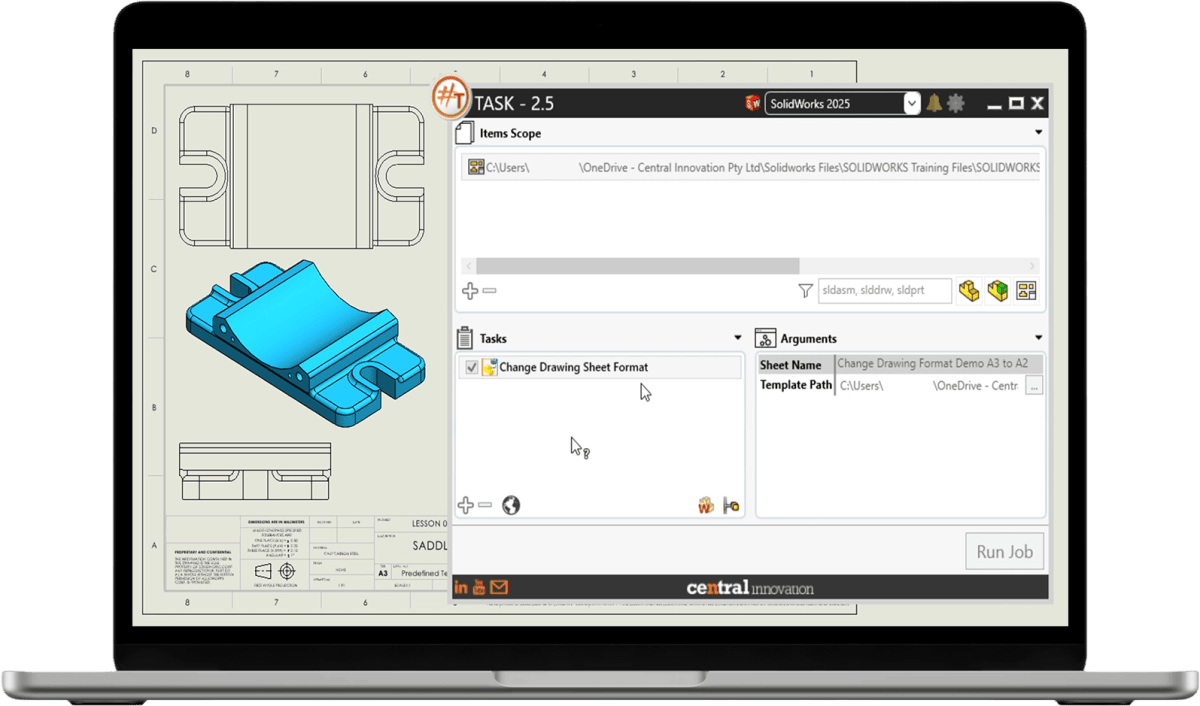
Eliminate repetitive tasks and manual edits with 14 new automation macros built for real-world engineering workflows:
- Change document units
- Change drawing sheet format
- Insert blocks in drawings
- Fix floating components in assemblies
- Find missing references (with Excel export)
- Save PDF with Zoom Fit
- Save PDF named by sheet title
- PDM Document Package Creator
- PDM Serial Number Reserver
- Export Child PDF and DXF References by FileName.
- Replace Variable with Equation.
- Static BOM Generator for assemblies.
- Batch Extrude DXF to 3D parts.
- Merge Drawings and Export to DXF.
How the free trial works
Up and running in about ten minutes, yours free for 7 days. On a phone or a Mac right now? Request it anyway: the link arrives by email and opens on your Windows workstation whenever you are back at it.
Pricing for the United States and Canada
Per-seat annual licence, priced in AUD, converted to USD when you purchase - volume discounts for teams and multi-site deployments. No Australian tax applies to orders outside Australia.
Price is $760 AUD then $510 AUD per year to renew.
The trial is free and full-featured; you only pay if you keep it.
Every licence includes:
- 144+ built-in macros, including the 7 new in v2.6
- Plugin support for your own macros
- Web-based licence portal for admins
- Support in US business hours
- Volume pricing from 5 seats, quoted in USD or CAD
Save hours. Reduce errors. Stay in flow.
Backed by a SOLIDWORKS specialist team, in your working day
#Task is developed and supported by Central Innovation, a SOLIDWORKS reseller and developer for more than 35 years, with customers in more than 100 countries and a 98% customer satisfaction rate.
Before you install
The questions engineers ask before requesting the trial.
Which versions of SOLIDWORKS does #Task support?
#Task v2.6 is compatible with all current versions of SOLIDWORKS, including the latest parts, drawings and assemblies. Tell us your version when you request the trial and we confirm before you install.
Does it work with SOLIDWORKS PDM?
Yes. #Task automates batch exports, file fixes and administrative tasks across SOLIDWORKS PDM workflows.
What do I need to run it?
A Windows 10 or 11 workstation with SOLIDWORKS installed. #Task is a desktop application and does not run on macOS or mobile devices, which is why we email the link rather than downloading it here.
How is the licence managed?
Through a secure web-based licence portal. Admins add and remove users and control permissions without spreadsheets or manual key handling.
Can I write my own macros?
Yes. #Task supports plugins for advanced control, so custom macros run inside the same batch process as the built-in ones.