Meshing improvements in SolidWorks Simulation 2021
SolidWorks 2021's upgraded blended curvature mesher delivers dramatically faster performance while maintaining superior mesh quality.
Are you still using the default standard mesher? Well it’s time to try the blended curvature based mesher.
There are 3 different automatic meshers in SolidWorks Simulation. The standard mesher, the curvature based mesher and the blended curvature based mesher.
The standard mesher gives a better quality mesh but can often fail on complex geometry unless the mesh is very fine.
The curvature based mesher succeeds on more complex geometry but produces more bad quality elements.
The blended curvature based mesher has the ability to mesh more complex geometry with better quality elements, but in previous versions it was slower.
In 2021 there have been major improvements to performance of the blended curvature based mesher.
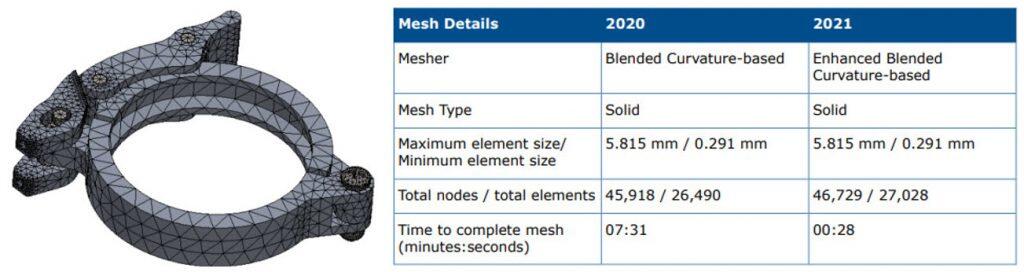
The example below from the What’s New Guide for 2021 shows an assembly with 7 parts is meshed 15 times faster in SolidWorks 2021
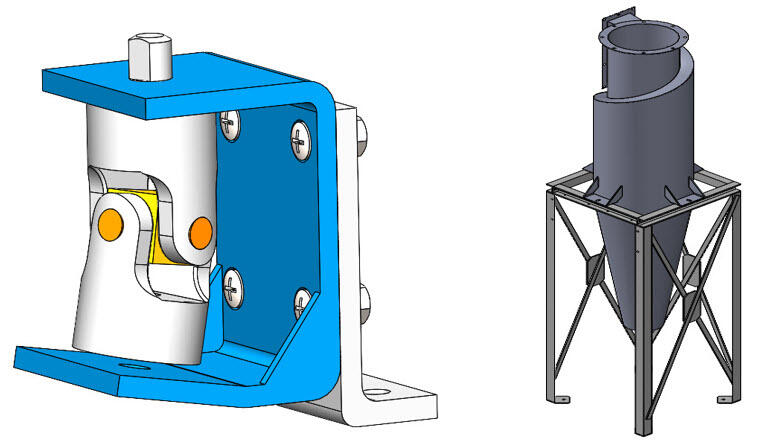
I ran tests on 2 files used in the Simulation training. The cardan joint has 8 parts all of solid mesh and the particle separator has 22 parts with a mixed mesh of solid shell and beams. Check out the table below showing a comparison of results.
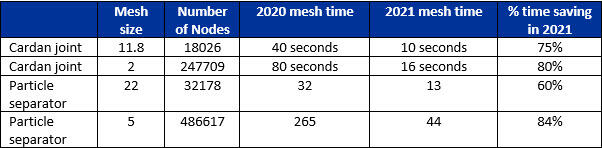
We can see the significant time saving we can achieve with the 2021 blended curvature based mesher.
If you have a Simulation Professional or Simulation Premium license the mesher will perform even better. In SolidWorks Simulation 2021 they have improved the blended curvature based mesher even further for these two license so that it can use multithreading and multiple cores. In particular circumstances you can even see the mesher using 100% of your machines CPU.
The default mesher is still the standard mesher but in 2021 we can now change the default mesher to the blended curvature based mesher by going to Simulation-> Options
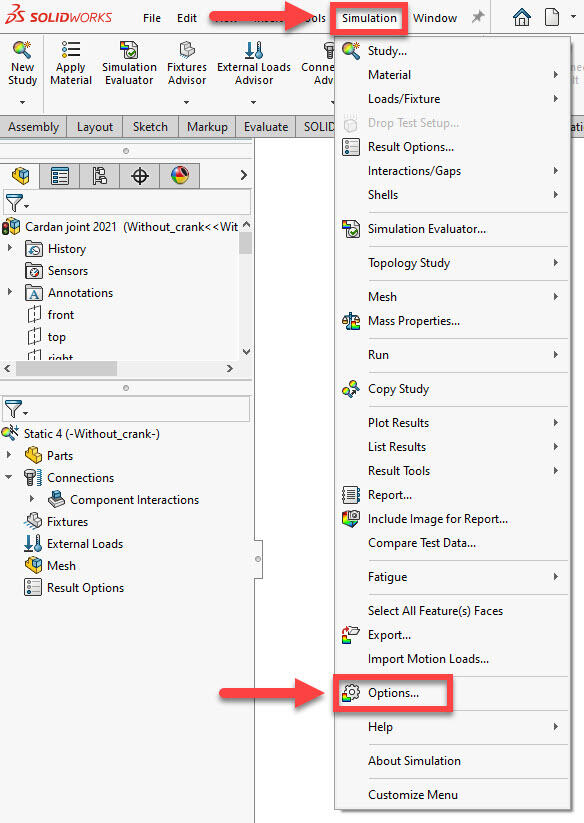
On the “Default Options” tab select “Mesh” and you will see the “Mesh parameters” “Mesher type” setting where you can set it to “Blended curvature-based”
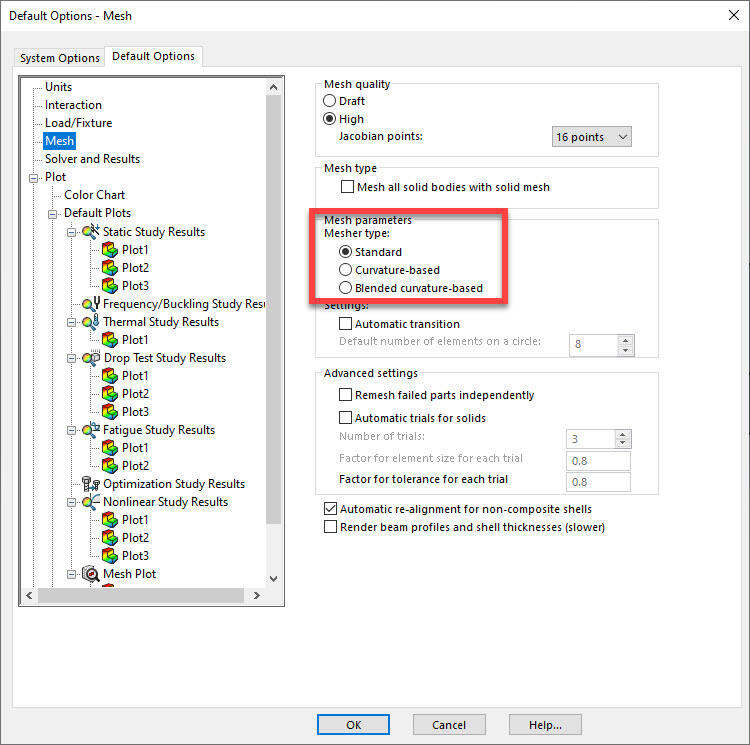
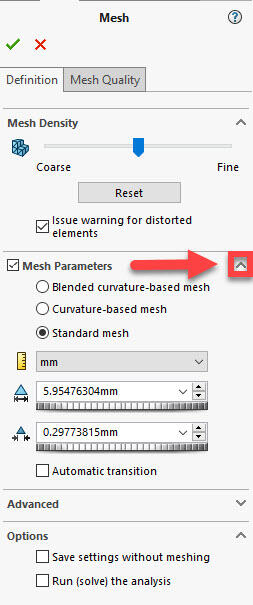
These settings will apply to every newly created study. For existing studies you will need to create the mesh and expand mesh parameters to see the different mesher types
So if you haven’t tried the blended curvature based mesher, now is the time to give it a go and save yourself some time.