PDM notifications not working
Users complaining about missing PDM notifications after an upgrade? Here are the troubleshooting steps that solved it.
Jim is the PDM admin , he upgraded the PDM recently but after few weeks users start complaining they are not receiving PDM notifications. Jim started troubleshooting and below are some quick tips he followed.
- Check SolidWorks PDM Database Server service (ConisioDbServer) is running or not.
If running restart, the service. Sometimes after the upgrade the service may not be running.
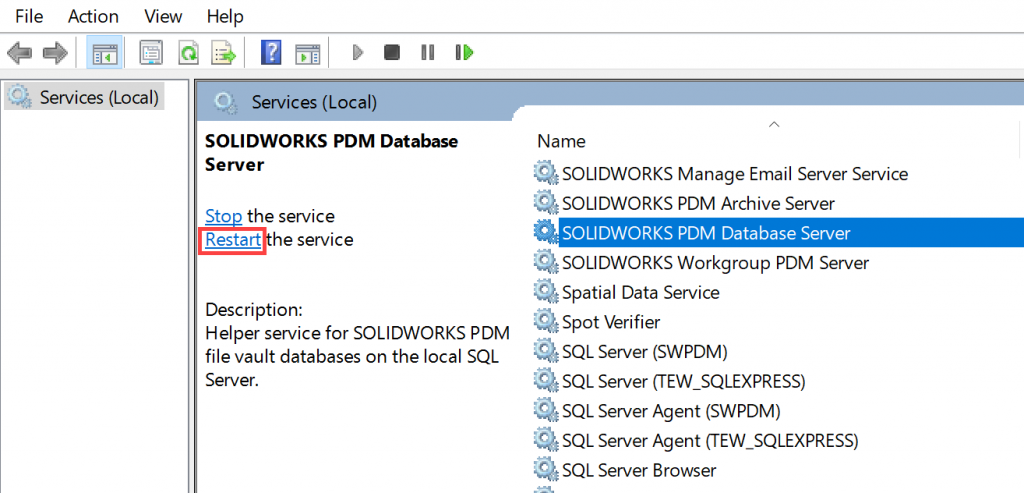
This service is also responsible for
- XML exports
- Card list updates
- Cold Store schedule
- Replication schedule
- If the service is stopping repeteadly then you may need to set a windows task to troubleshoot this.
- If using SMTP message option, try database option. This will nail down the issue is related to server or SMTP.
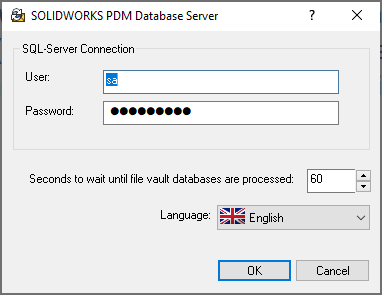
- Run the PDM Database serve tool , ensure the SQL credentials are correct
- Check if the server information is correct under all registry keys HKEY_LOCAL_MACHINE\SOFTWARE\SolidWorks\Applications\PDMWorks Enterprise\MailService
There are few other tips to troubleshoot SMTP related issue using external tools , for this contact your local Technical support.