How many Excel Tabs is too many? The hidden risk lurking in your BOM spreadsheets
If your BOM lives in Excel, you probably feel like you have a system — until a “small” change turns into the wrong PO, a missing part on the floor, or a build that doesn’t match the latest design. This article breaks down why spreadsheet BOMs aren’t just messy — they’re a structural risk to quality, margin, and delivery performance once complexity and speed ramp up.
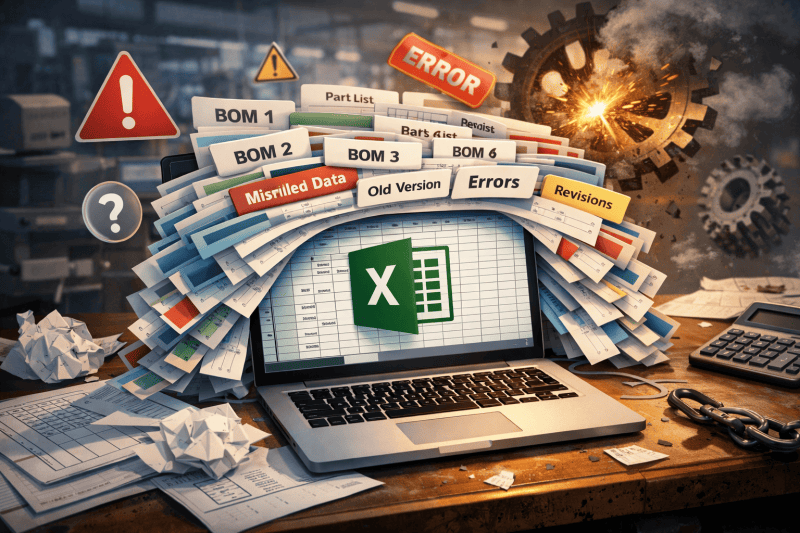
If your Bill of Materials lives in Excel, you probably have a system.
There’s the “master” tab, a few “v2_final” files floating in email, a shared drive with last year’s versions, and a handful of heroic people who “just know” which spreadsheet is the real source of truth.
It works—until it really doesn’t.
For manufacturers trying to run lean, meet customer deadlines and protect margin, spreadsheet-driven BOMs are no longer just an annoyance. They’re a structural risk to quality, cash flow and reputation.
- This article unpacks why, and how a dedicated BOM automation tool like MaXXlink eliminates that risk while delivering measurable, board-level outcomes.
The illusion of control in Excel
On the surface, spreadsheets feel controlled:
- You can lock cells.
- You can add colour codes and filters.
- You can email updated versions to purchasing or production.
But under the hood, three structural problems remain:
- Human error is baked in
Every change is a manual action: copy, paste, insert row, overwrite, drag formula. One slip in a quantity, unit of measure or part number, and the error propagates everywhere that file is reused. - No single source of truth
Versions multiply: engineering has one, purchasing has another, the CNC programmer saved their own copy six months ago. No one is maliciously “breaking the process”—they’re just trying to keep up. - Zero real audit trail
You can see what the numbers are now, but not reliably how they got there, who changed them, or which revision drove a specific purchase order or production run.
In isolation, these look like housekeeping issues. At scale, they become operational risk.
When one wrong cell hits the real world
A single BOM error doesn’t stay in the spreadsheet. It flows downstream into:
- Purchasing: wrong orders, wrong quantities
- A quantity typo triggers a purchase order for 10,000 units instead of 1,000.
- A superseded part number sneaks through to a supplier who can’t fulfil it on time.
- A unit of measure mismatch (box vs each, kg vs metres) quietly distorts costings.
The result: expediting costs, emergency re-sourcing, awkward supplier calls and extra work for the finance team reconciling variances.
- Production: line stoppages and rework
- Missing fasteners or sub-components stop a line mid-shift.
- Incorrect alternates mean parts physically don’t fit, requiring rework or scrap.
- Operators receive a printed BOM that no longer matches the “real” design in CAD.
The result: idle labour, wasted machine time, overtime to catch up, and risk of defects reaching customers.
- Customers: missed promises, margin erosion
- Committed ship dates slip because stock isn’t available.
- Warranty claims rise because the “as-built” product deviates from the intended design.
- Key accounts lose confidence in your reliability and start testing the market.
Multiply this by multiple product lines, multiple sites and multiple engineers, and the “free” spreadsheet approach starts to look very expensive.
Why patching the spreadsheet process isn’t enough
Many manufacturers try to “harden” their spreadsheet BOMs:
- SharePoint or network drives to control access
- Macros and templates to reduce manual entry
- Naming conventions for files and folders
- Checklists for engineering change
These all help, but they don’t solve the core issue: your BOM is still fragmented across personal files, emails and semi-manual processes.
You’re still relying on people to:
- Move data from CAD to spreadsheets to ERP
- Remember which version is correct
- Manually apply business rules (supplier preferences, minimum order quantities, alternates, substitutions, etc.)
At some point, growth, product complexity and supply chain volatility outstrip what spreadsheets can safely handle.
What “good” looks like: a dedicated BOM automation layer
Instead of treating BOMs as files, leading manufacturers treat them as connected business data.
A proper BOM automation layer should:
- Connect design and execution
- Pull structured BOMs directly from CAD and push them into ERP/MRP without manual retyping or massaging in Excel.
- Enforce business rules, every time
- Apply your logic for suppliers, alternates, units of measure, rounding, sourcing, and site-specific variations systematically—not ad hoc.
- Validate and highlight issues before they hit the shop floor
- Flag missing part numbers, obsolete items, inconsistent units, or unmapped fields before anything is ordered or scheduled.
- Track changes and revisions with full visibility
- Provide a clear picture of what changed, when, by whom, and what impact that has on purchasing and production.
- Provide a single, trustworthy BOM view
- Give engineering, planning, purchasing and finance one source of truth, while still letting each group see the fields and views they care about.
This is exactly the space MaXXlink is built for.
How MaXXlink compares to “other ways” of solving the problem
Without naming names, most alternatives fall into one of three categories:
“Do nothing” and keep Excel
- Lowest upfront cost, highest hidden cost. Errors, rework and firefighting accumulate quietly until a major incident (or an audit) forces change.
Generic BOM/PLM solutions
Often powerful, but:
- Heavy and complex to implement for mid-market manufacturers
- Designed for global enterprises, not lean ANZ teams
- Require you to adapt your processes to the tool’s worldview
Custom one-off integrations
A bespoke connection between CAD and ERP can work—for a while. But:
- Every change in your systems or processes requires more custom dev
- Knowledge gets trapped with a few internal or external experts
- It’s hard to extend, support and scale over time
MaXXlink is intentionally different:
- Purpose-built for BOM automation rather than being a generic “do everything” platform.
- Configurable instead of custom-coded, so it can evolve with your products and systems.
- Lightweight to implement, giving you value in weeks, not multi-year IT programmes.
- Owned and supported locally, by people who understand both CAD and manufacturing operations.
Business outcomes that matter to executives
Ultimately, MaXXlink isn’t about moving data for its own sake. It’s about improving metrics that executives and boards care about:
- Reduced errors and rework
- Less scrap, fewer line stoppages, lower warranty risk
- Shorter time-to-market
- BOM changes propagate quickly and accurately through to purchasing and production, supporting faster NPI cycles
- Improved stock turns and working capital
- Clean, reliable BOMs give purchasing and planning the data they need to hold the right stock—not too much, not too little
- Greater supply chain resilience
- Consistent, structured BOM data makes it easier to analyse supplier risk, manage alternates, and respond quickly to disruptions
- Better governance and audit readiness
Clear traceability from design to purchase order to finished product supports compliance, quality certifications and customer audits - More engineering time on innovation, not admin
- Highly skilled people spend less time maintaining spreadsheets and more time on design and continuous improvement
So… how many Excel tabs is too many?
If you’re asking the question, you probably already know the answer.
When BOMs live in spreadsheets, risk hides in plain sight. The more tabs, versions and email attachments you juggle, the closer you are to an error that no conditional formatting can catch.
MaXXlink gives you a way out: a dedicated, proven way to turn BOMs from fragile spreadsheets into reliable, connected business data—without tearing out the systems you already rely on.
If you’d like to see what that looks like in your environment, the next step is simple:
map one real BOM process end-to-end and let us show you how MaXXlink can streamline, de-risk and automate it.