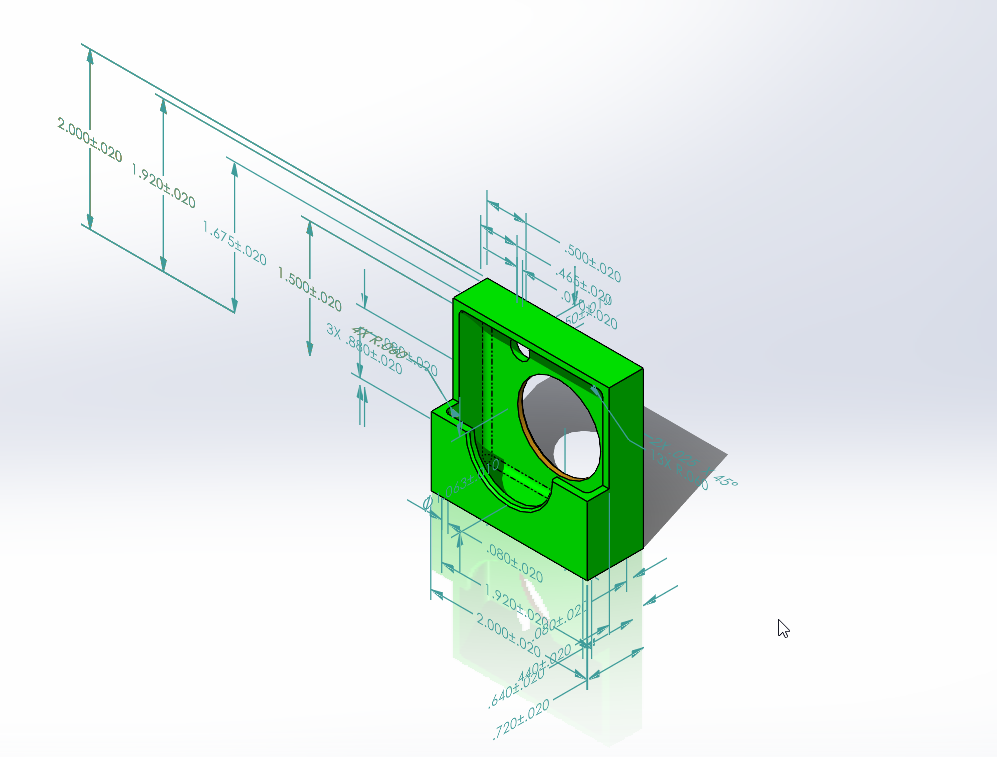
Auto dimension scheme
SolidWorks' Auto Dimension Scheme automatically applies manufacturing dimensions and tolerances, streamlining your design workflow.
The Auto Dimension Scheme tool in SolidWorks can automatically allpies dimensions and tolerances to the manufacturing features of a part.
The tool’s objective is to fully contrain, for size and location , the selected features using a set of reference or datum features.
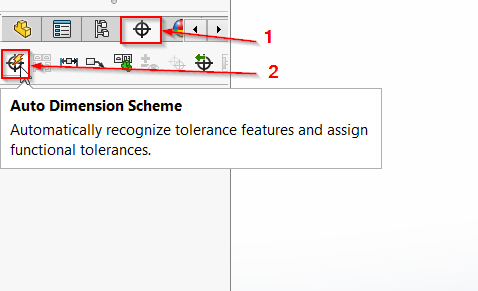
You can find this tool at the DimXpertManager > Auto Dimension Scheme in SolidWorks.
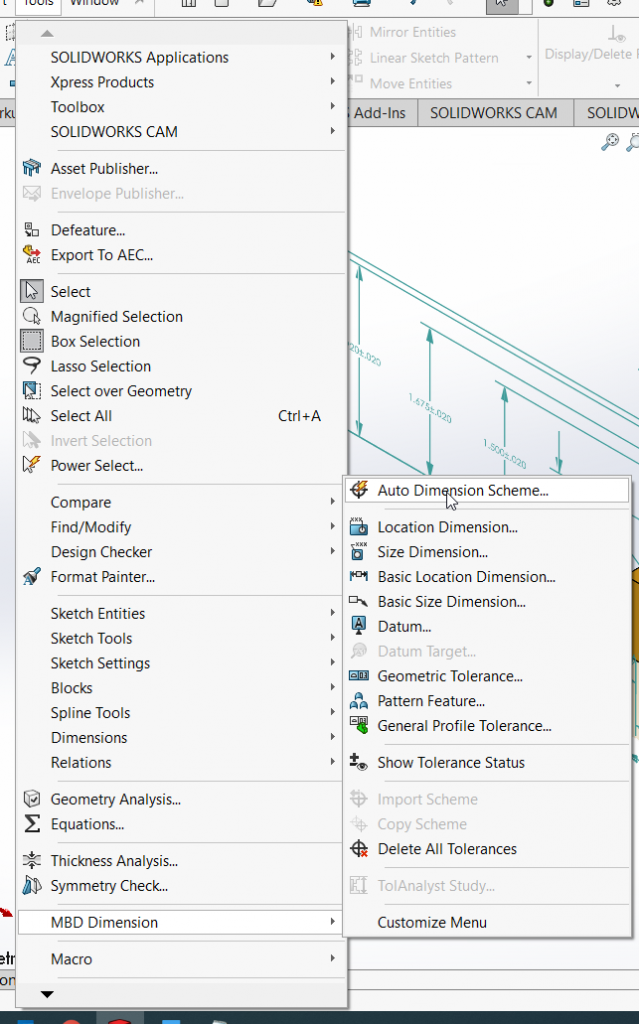
The tool is also can be found under Tools> MBD Dimension > Auto Dimension Scheme.
Run this function, it will take you to the Auto Dimension Scheme Property Manager:
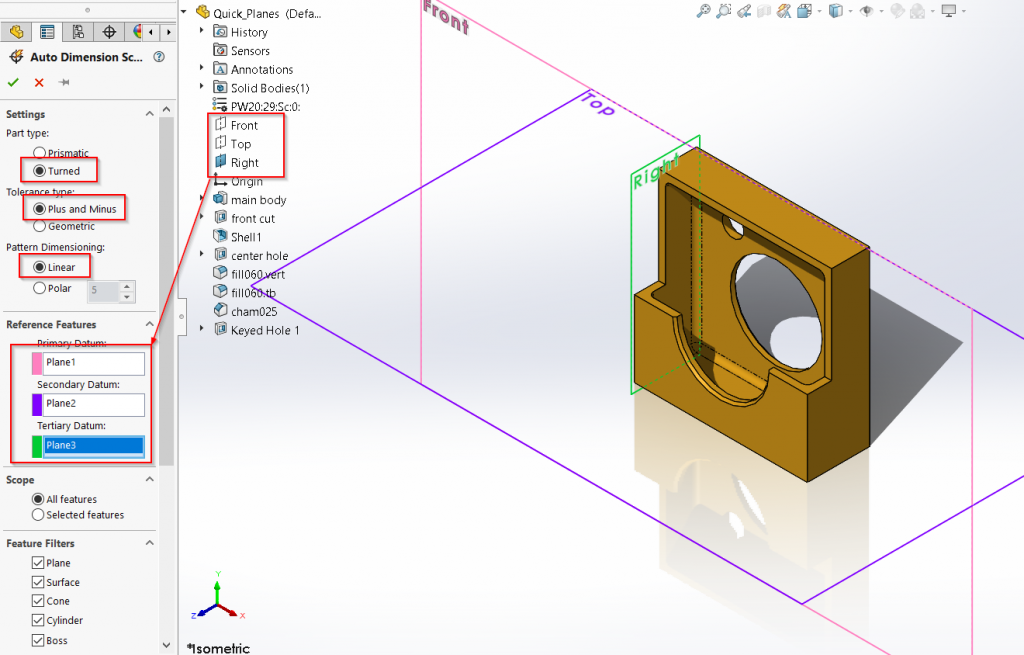
You can choose different settings for the dimensions, set the reference features as interest and choose the features to be included.
Take this part as am example:
I have chosen the Turned part type, Plus and Minus for the Tolerance type, Linear as the Pattern Dimension type, and choose the three default planes as reference features.
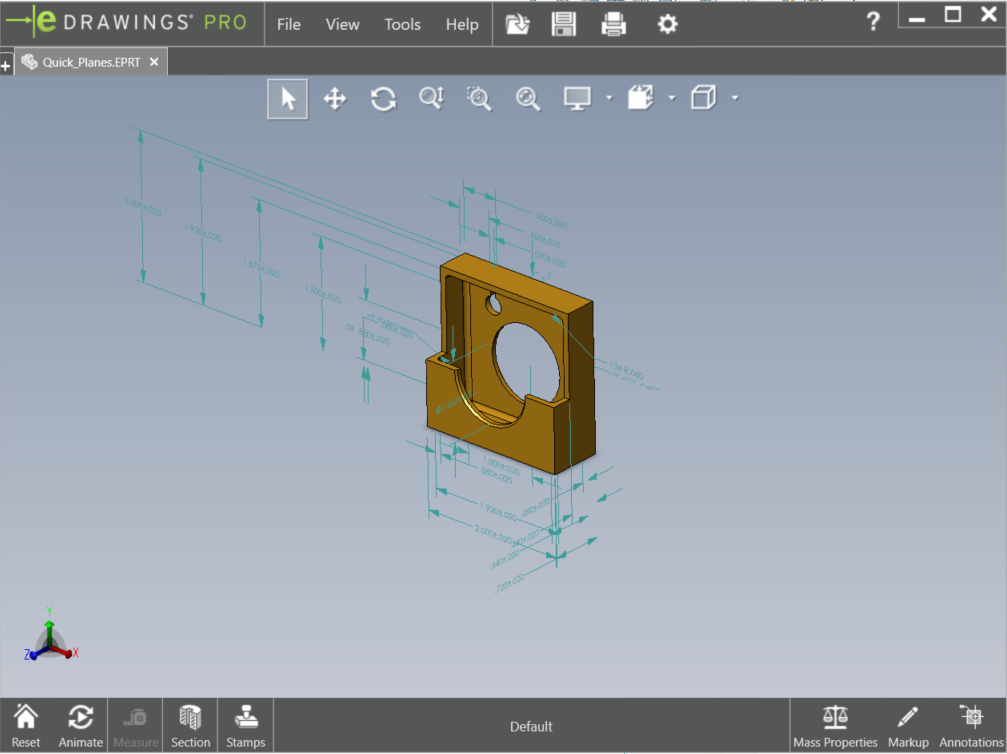
The result is showing like this: