Getting error SolidWorks license expiring in 1 day, despite being on subscription.
Don't panic when SolidWorks shows that misleading expiration warning—here's how to quickly fix this common subscription glitch.
Are you getting the error message that your SolidWorks license needed to be renewed, even you are on subscription?
Don’t worry we got you covered, please follow the instructions below.
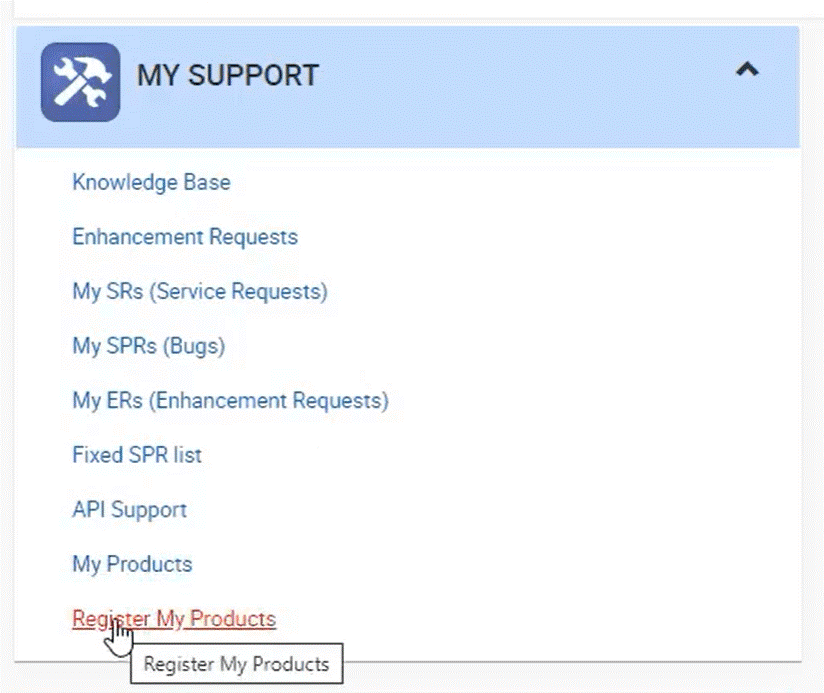
To Re-register do the following
Registering your SolidWorks Products will give you access to download products that your serial numbers
entitle you to. You will also be able to access other areas such as the knowledge base.
Next, you will be prompted to enter your serial number. If you have more than one,
just repeat this process for each, as you can only enter one at a time.
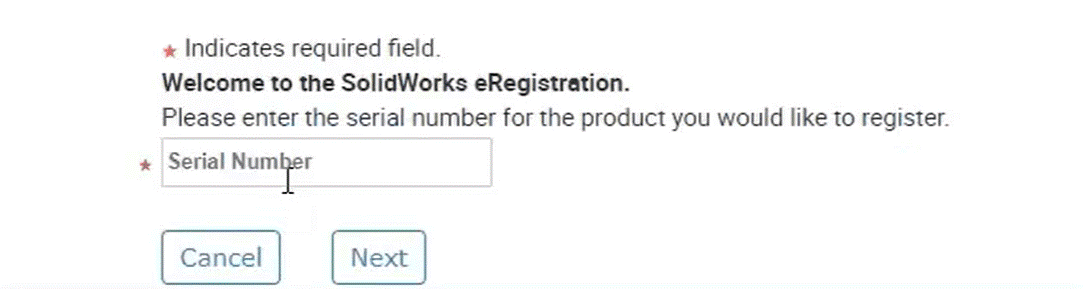
Once completed, click ‘Next’.
On the next screen, select the small search icon within the box. It’s important to select
the most up-to-date product here even if you are downloading an old version, choosing
an older version here can cause issues with accessing downloads. So, select the latest version
of SolidWorks.
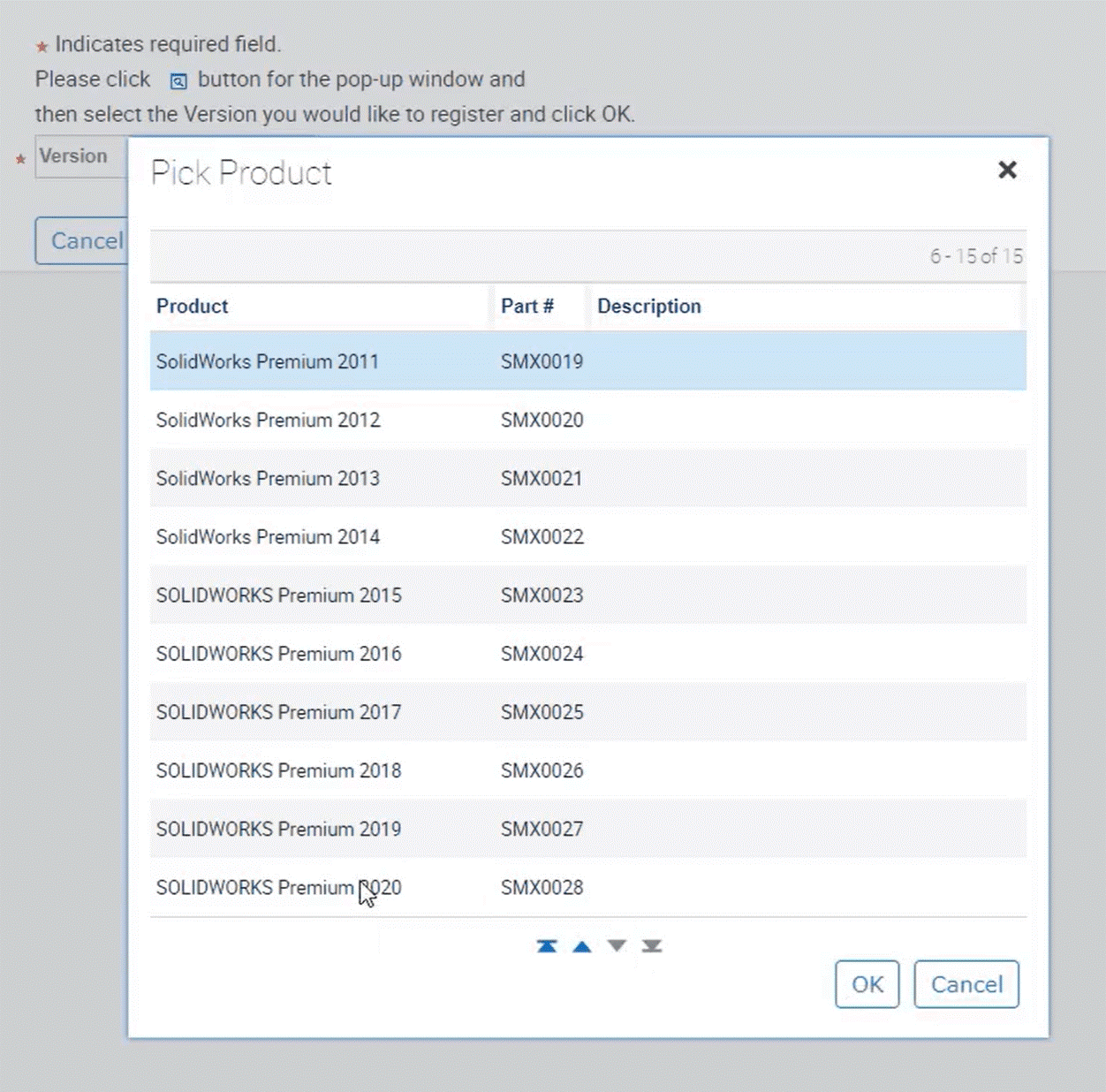
Click ‘Next’ and your products should be registered. Now we can go back to the home screen
and should have access to the relevant areas such as downloads and updates. If necessary,
repeat the process for any other license you have.
This should retrigger the workflow and the dates after that should be updated.