Hiding faces with alt key while adding mates in an assembly
Learn the Alt key technique to temporarily hide component faces and access hidden geometry during assembly mating operations.
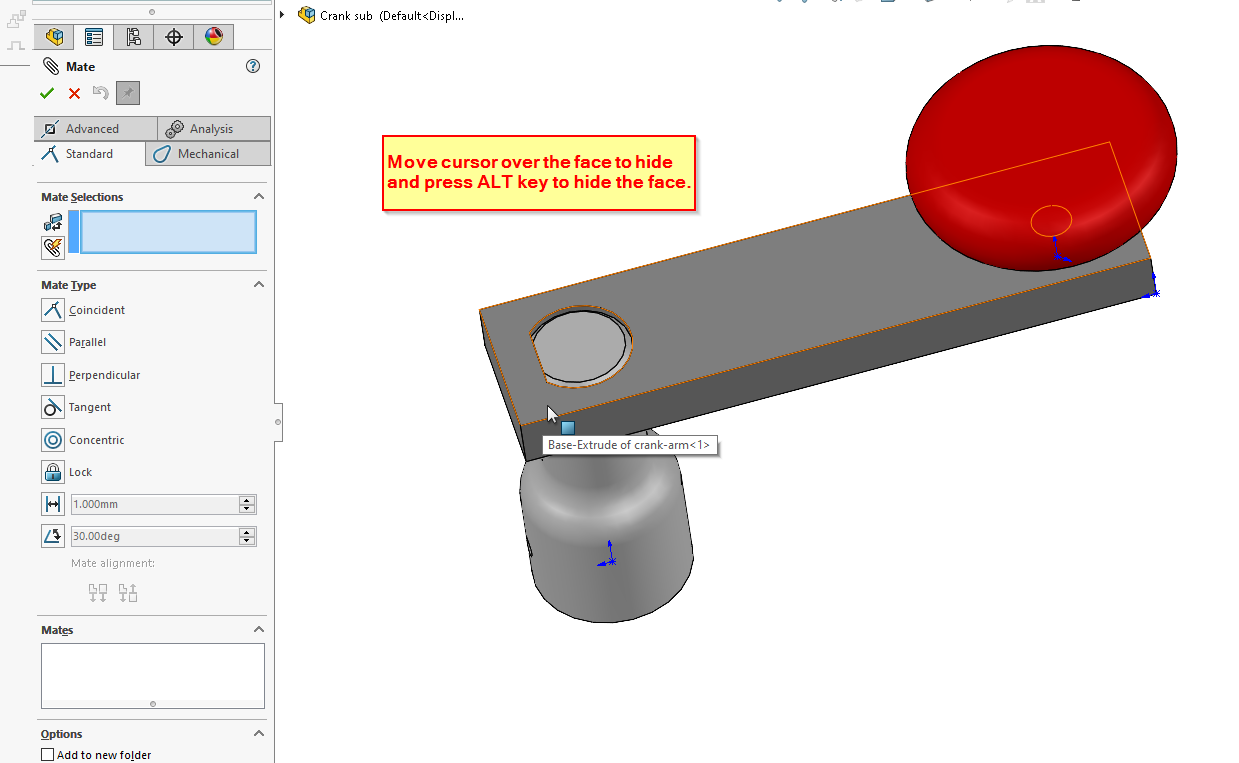
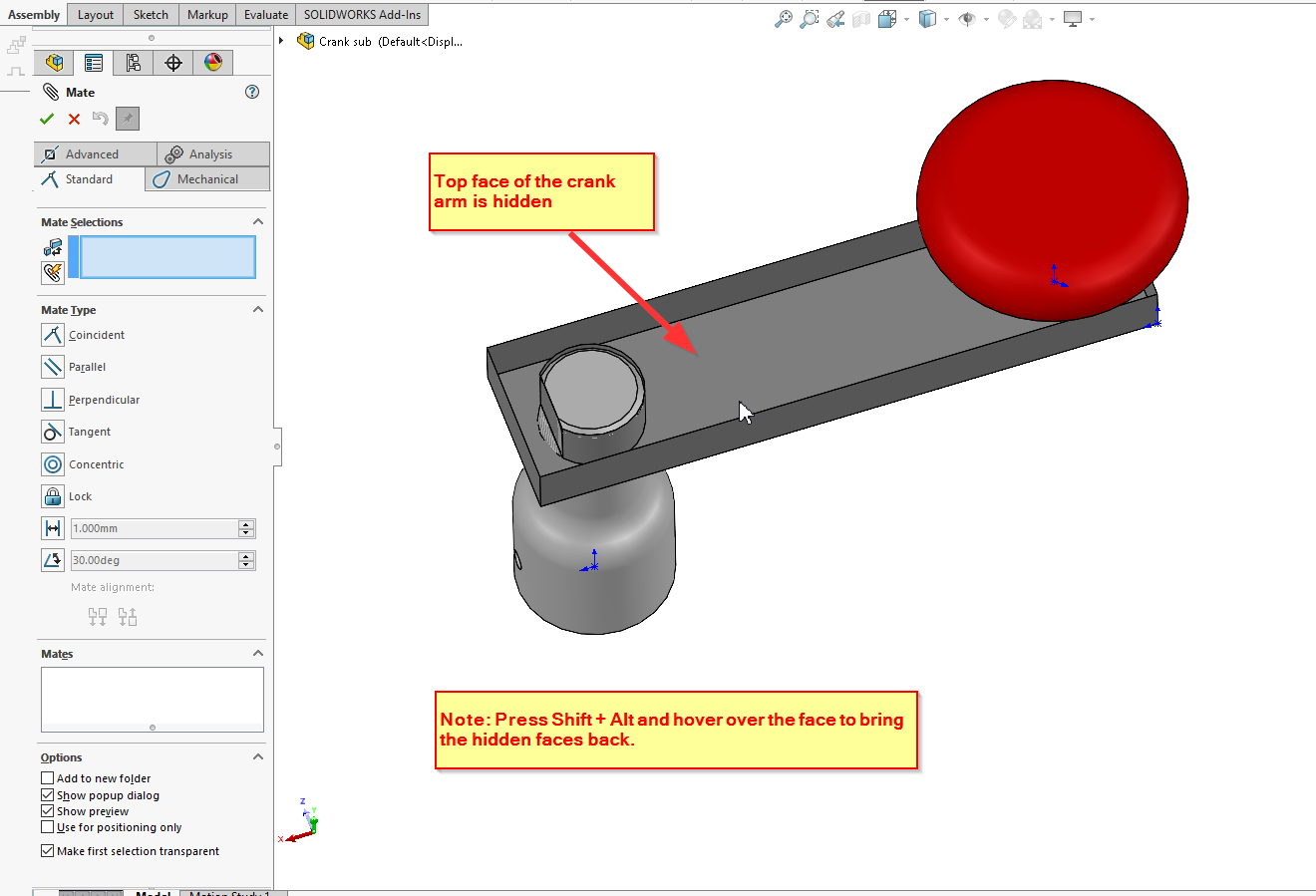
There are several ways to select hidden faces when adding or deleting mates. One option could be using the Alt Key to hide one or more faces and provide access to selected hidden faces.
Move mouse pointer over a component face and press Alt key to hide the face or faces
You can press and hold Shift + Alt over a hidden face to bring it back.
Note: This is keyboard shortcut is contextual and only available whilst you are in performing mate.