How to access SolidWorks ebooks?
Transform your physical SolidWorks training manual into a convenient digital ebook in just a few simple steps.
If you have attended one of our SolidWorks trainings and have received a training manual, or if you have purchased a SolidWorks manual, then this blog is for you. There are times when its difficult to carry the training manuals with us, therefore it would be great to have the ebook or soft copy of the manuals. Below are the steps to access the SolidWorks ebooks:
- Please visit the link below in order to access the online training manuals: https://my.SolidWorks.com/ebook/getebook
- You might need to sign in to see the page below, add your email and the ebook’s serial number found on the cover of the physical manual.
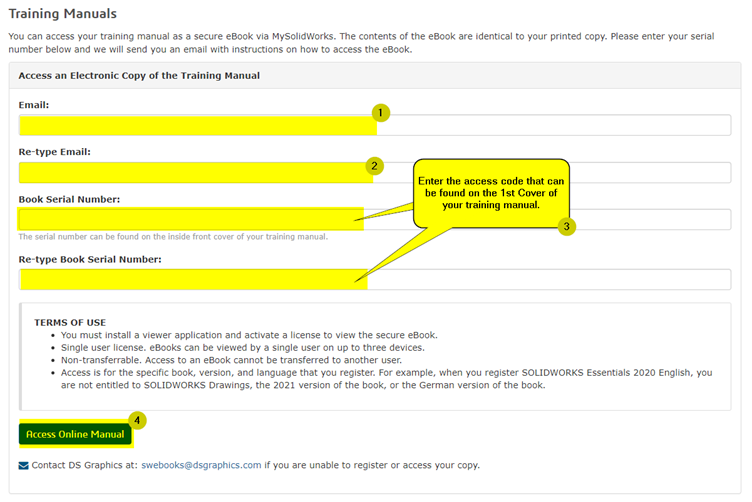
- You will be sent an email to download a software called Safeguard Viewer
<!-- BROKEN IMAGE: no src -->
- The email also contains a link that can be used to download the ebook file.
- Once both the Safeguard Viewer and the manual files are installed and downloaded, you can run the Safeguard Viewer software and open the ebook file.