Installing SolidWorks Visualize
Access the powerful visualization capabilities already included with your SolidWorks Professional or Premium subscription.
SolidWorks Visualize is included free with a license of SolidWorks Professional or SolidWorks Premium that is on activate subscription. To install SolidWorks Visualize you need a separate serial number. This serial number can be found in your SolidWorks customer portal account.
For information on how to set up a customer portal account please check our CI blog here
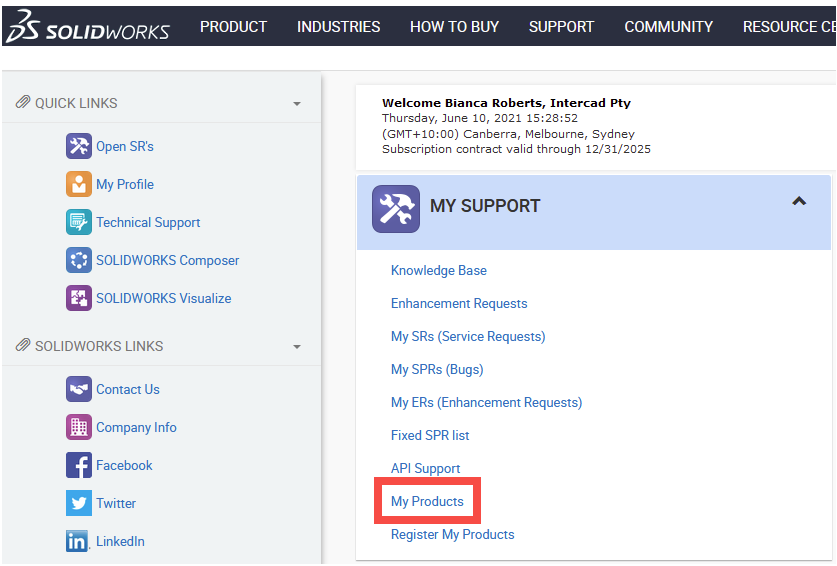
After logging into your SolidWorks customer portal account go to “My Products”
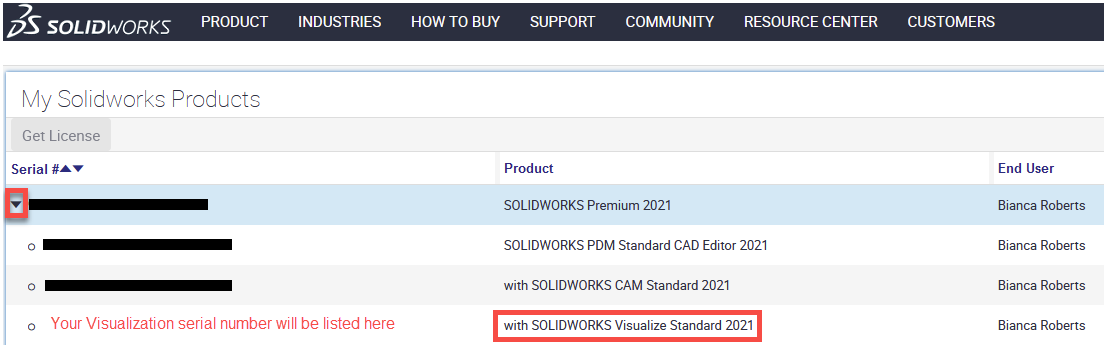
Click the arrow next to your SolidWorks product to expand the associated licenses and find you SolidWorks Visualize serial number
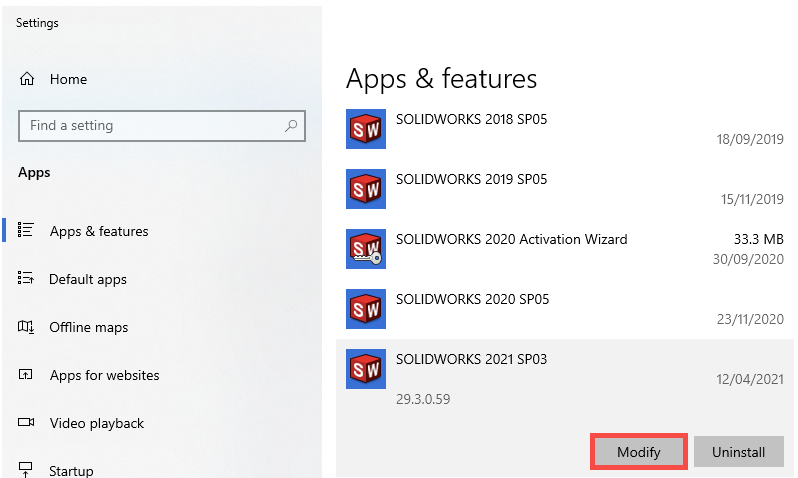
To install SolidWorks Visualise after having installed SolidWorks go to your Windows settings “Apps & features” and click modify
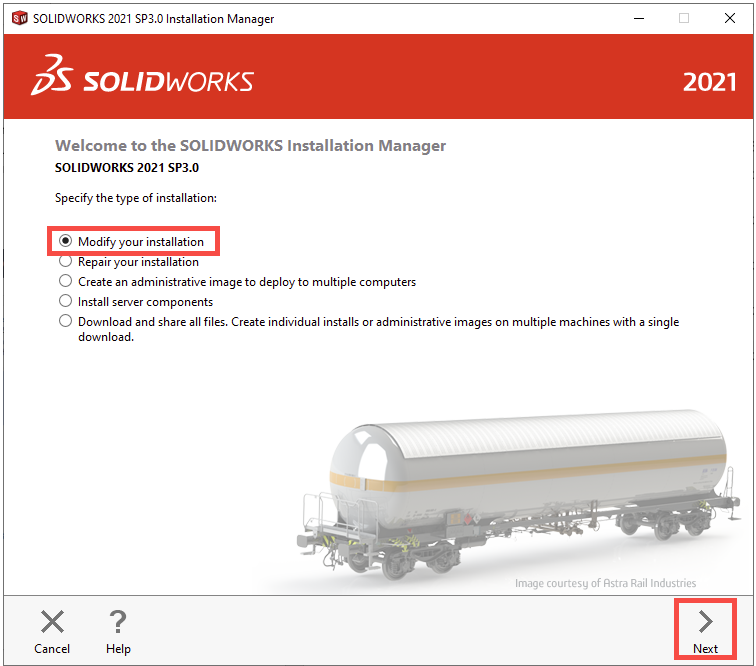
Select “Modify your installation” and then “Next”
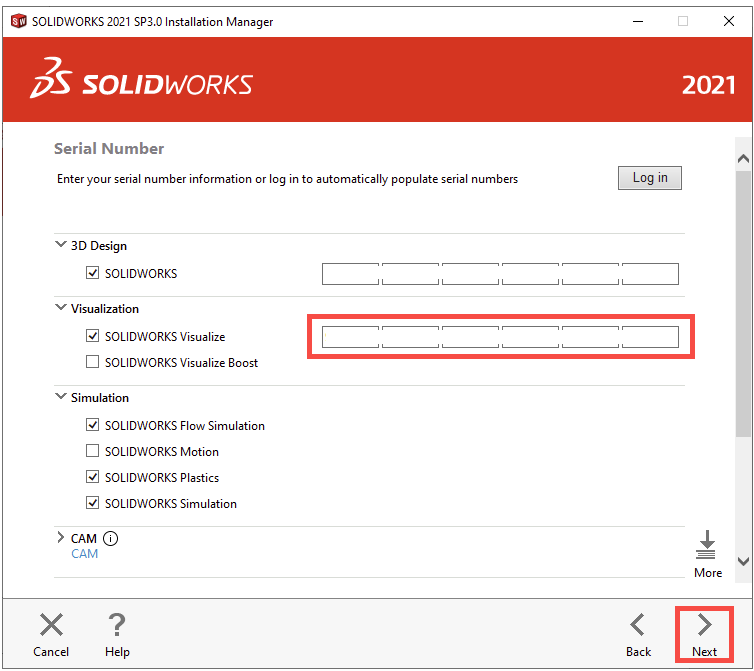
On the serial numbers page enter your Visualize serial number then Next
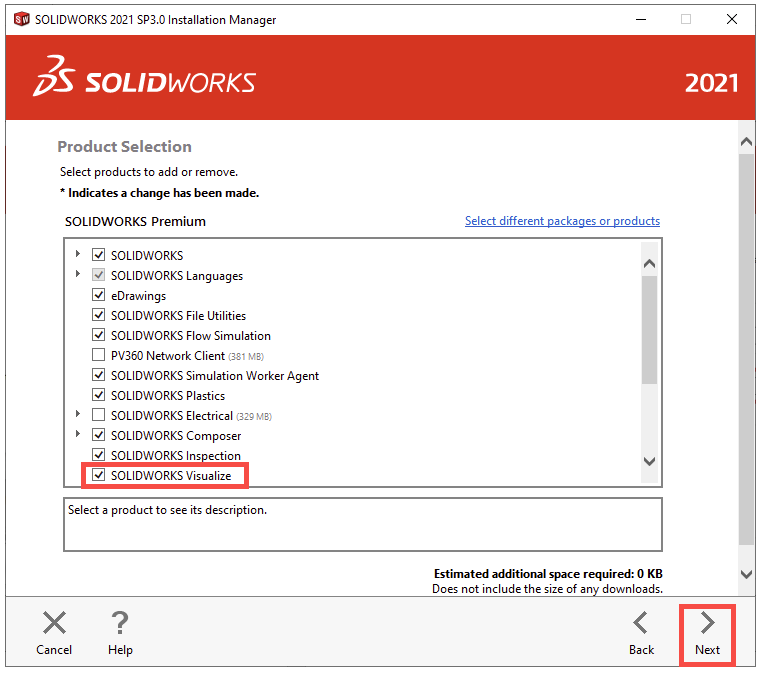
On the product select page make sure you have ticked to install Visualize
Continue through to the end of the installation.
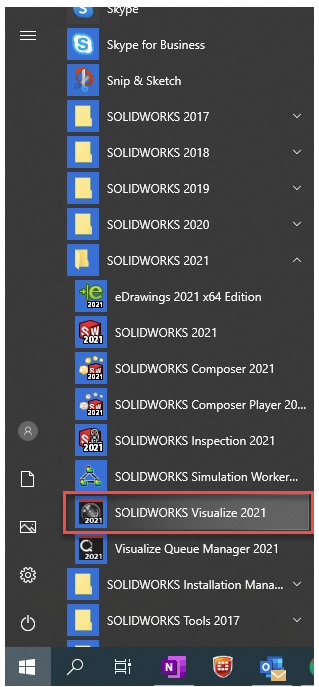
After installation is complete you will find SolidWorks Visualize available in your programs