AEC Tip of the Day
Quick selection – Ci Site objects
Discover how Ci Tools' Find and Select Elements feature streamlines object selection in complex Site Plans.
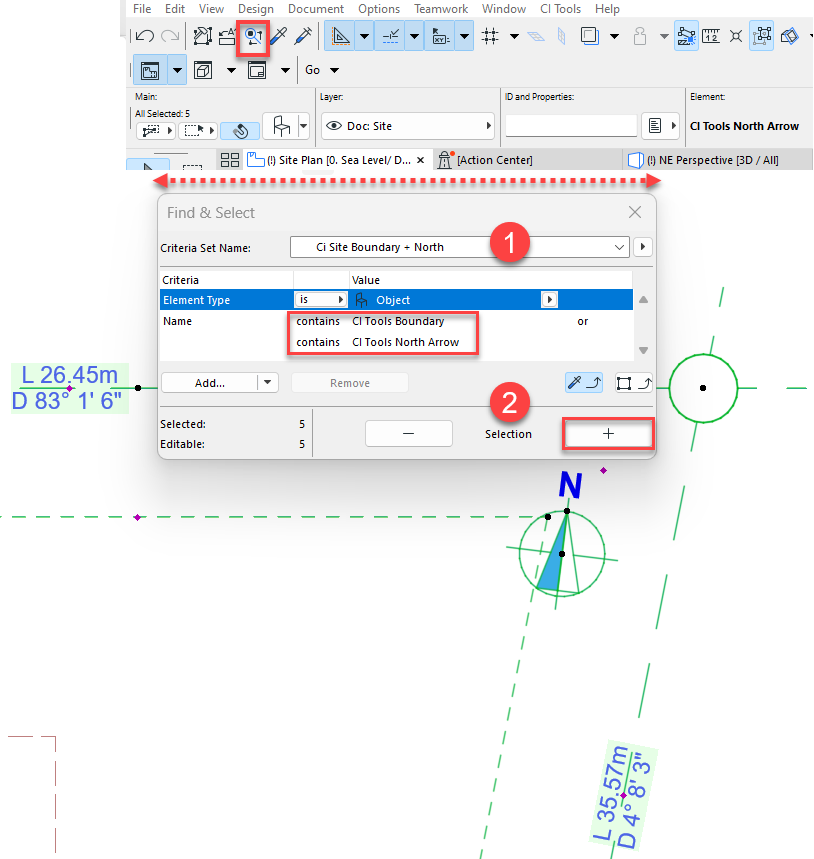
A quick and intelligent way to select Ci Tools Site objects is to use Find and Select Elements Tool, particularly when your Site Plan contains multiple objects / elements. This tool allows you to select and deselect elements based on a defined criteria.
For more information of the Tool and its advantages, refer to the link :
One of the best features of Find and Selection is that you can predefine your own Criteria Sets: