SolidWorks could not initiate the transaction
Fix your SolidWorks launch failures with this quick FLEXnet Licensing Service solution that takes just minutes.
SolidWorks Could not Initiate the Transaction Errored [0,0,0]
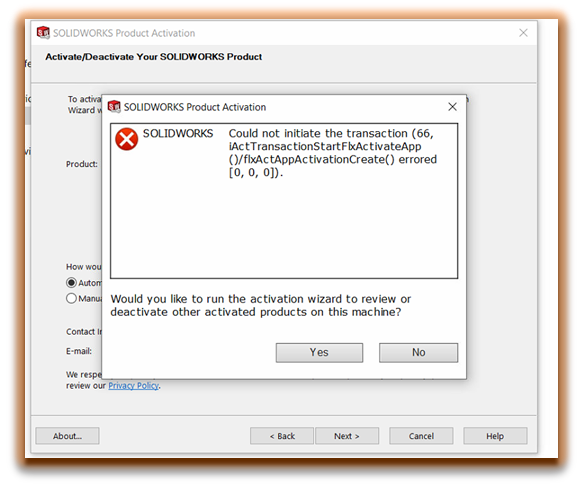
This may be caused by FLEXnet Licensing Service not running on the desired machine or it is disabled.
This error may occur when a user is launching the SolidWorks application or trying to activate or reactivate the SolidWorks license. License activation for SolidWorks software is controlled by FlexLM.
The FLEXlm-licensed application establishes a connection with the specified vendor daemon and sends its request for a license. The vendor daemon checks in its memory to see if any licenses are available and send a grant or denial back to the FLEXlm-licensed application.
To resolve this, follow these steps:
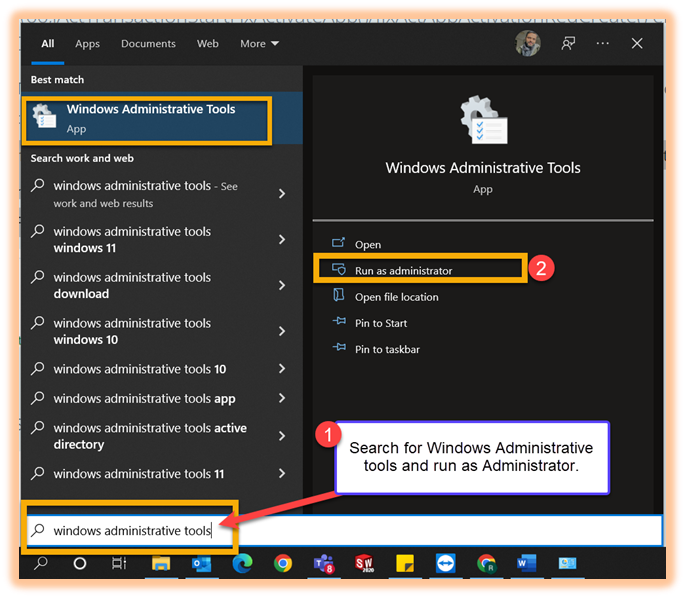
Step 1: Search for Windows Administrative tools and run as Administrator.
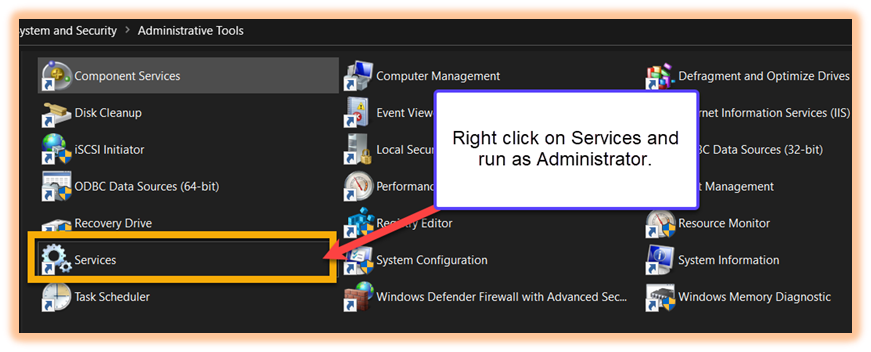
Step 2: Right-click on Services and run as Administrator.
Step 3: Right-click on FLEX net Licensing Service > Properties > Set Start-up Type to Automatic.
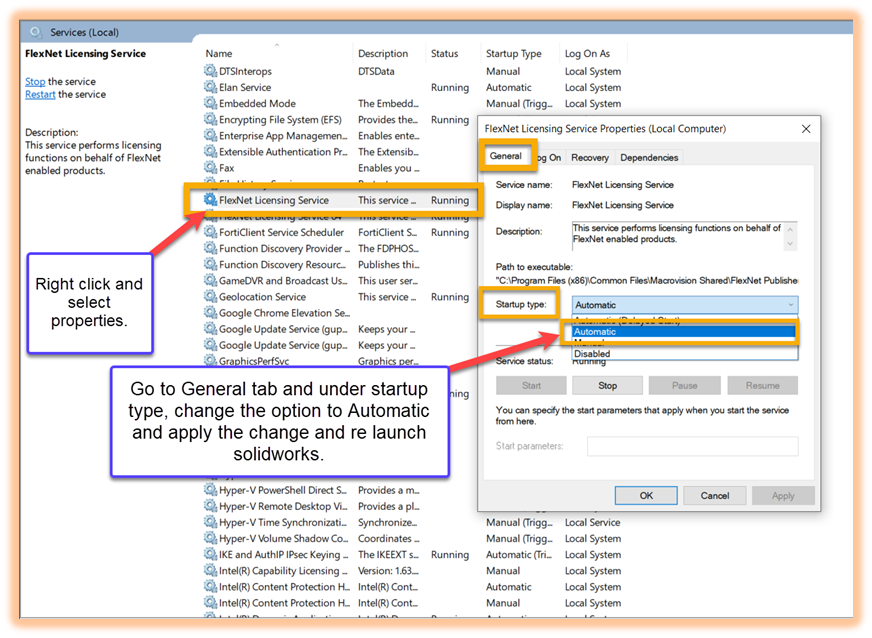
Now restart SolidWorks and it should launch without the error.